

TL;DR - Teamsly vs When I Work in 30 seconds
Both Teamsly and When I Work are workforce management apps for hourly, shift-based teams, but their scope is very different:
- When I Work focuses on who is working - drag-and-drop scheduling, a polished mobile time clock, shift swaps, team messaging.
- Teamsly manages who is working, what they do, and how well it gets done - adding AI auto scheduling, live GPS location tracking, on-call shifts, a dedicated Job Scheduling module, forms & audits, recurring tasks, quizzes & training, and a fully bilingual (English / Spanish) experience.
- Single-location hourly team that just needs a clean schedule and a mobile time clock? When I Work is easy to use.
- Multi-location operator who needs operations, training, compliance, jobs, and AI scheduling in one app at predictable per-location pricing? Teamsly is the better long-term fit and the leading When I Work alternative in 2026.
Managers report building a full week's schedule in a third of the time using Teamsly's AI auto scheduler vs. manual drag-and-drop in When I Work, measured in their first month after switching.
Teamsly vs When I Work: key differences at a glance
The headline differences between Teamsly and When I Work:
| Feature | When I Work | Teamsly |
|---|---|---|
| Platform focus | Scheduling-first | All-in-one workforce platform |
| Employee scheduling | ✓ | ✓ |
| AI auto scheduling | ✕ | ✓ |
| Time tracking | ✓ | ✓ |
| Shift swaps | ✓ | ✓ |
| Task management | Limited | ✓ |
| Forms & compliance | ✕ | ✓ |
| Employee training | ✕ | ✓ |
| Communication tools | ✓ | ✓ |
| Live location tracking | ✕ | ✓ |
| On-call shifts | ✕ | ✓ |
| Job scheduling module | ✕ | ✓ |
| Pricing model | Per user | Per location |
Best fit:
- When I Work - small teams needing simple scheduling.
- Teamsly - growing or multi-location teams needing operations, jobs, and training in one platform.
What Teamsly and When I Work bundle into one plan
What is When I Work?
When I Work is a scheduling-first workforce app, founded in 2010 in Minneapolis and aimed at small hourly businesses - restaurants, retail, fitness studios, and small healthcare practices. Its sweet spot is fast drag-and-drop scheduling and a mobile time clock for a single team.
What When I Work does well:
- Drag-and-drop schedule builder with templates and recurring shifts
- Mobile time clock with geo-verification at clock-in
- Shift swaps, drops, and trade requests
- Team messaging and shift reminders
- Time-off requests and basic timesheet exports
- Optional payroll add-on
Where When I Work feels thin is when your team grows past basic scheduling - there's no AI auto scheduling, no forms or audits, no built-in training, no on-call shifts, no live location tracking during the shift, and no dedicated jobs/dispatch module.
If you only need to publish weekly schedules and run a mobile time clock for a single hourly team, When I Work is a perfectly competent choice. The trade-off begins the moment you outgrow that scope - multi-location operations, field crews, training, audits, on-call coverage, or bilingual EN/ES workflows.
What is Teamsly?
Teamsly is a complete workforce management platform built for shift-based and field teams across hospitality, healthcare, retail, fitness, construction, cleaning, and home services. It bundles AI auto scheduling, time clock, live GPS location, on-call shifts, jobs, forms, tasks, and training into one bilingual app, so the schedule, the shift, and the work itself all live in the same place.
The short version
When I Work ends when the schedule is published. Teamsly keeps going - through the on-call rotation, the live GPS ping, the job dispatch, the checklist, the audit, the training quiz, and the payroll-ready timesheet.
Teamsly's differentiators against When I Work:
- AI auto scheduling that builds compliant schedules from demand, availability, and roles - included on the All-In-One plan, not a higher-tier upcharge.
- Live GPS location tracking bundled in every paid plan, not just clock-in geo-verification.
- On-call shifts with rotation, escalation, and one-tap acknowledgment - a first-class scheduling primitive.
- A real Job Scheduling module for scheduling, dispatching, and tracking jobs across crews and locations - see Teamsly job scheduling.
- Forms, audits and checklists with photo evidence and signatures.
- A real task manager with recurring tasks and accountability - included, not an add-on.
- Quizzes, courses, and training with AI-generated content from your own documents.
- Bilingual English / Spanish manager and employee experience out of the box.
- Predictable per-location pricing that doesn't punish you for adding seasonal staff.
Pricing comparison: Teamsly vs When I Work
This is usually where the comparison starts, so let's get specific.
When I Work pricing (2026)
- Free trial: available, no permanent free plan with full functionality.
- Essentials - ~$2.50 per user/mo: scheduling, time clock, basic messaging.
- Pro - ~$5 per user/mo: shift trades, advanced reporting, custom permissions.
- Premium - ~$8 per user/mo: labor budgeting, integrations, multi-location.
- Platform minimum applies (around $30/mo) regardless of team size.
The catch: costs scale linearly with every employee you add. A 60-employee team on Pro is roughly $300/mo; on Premium it's closer to $480/mo. Seasonal hiring inflates the bill the same way.
Teamsly pricing (2026)
- Free - $0/mo: 1 location, up to 10 employees. Includes scheduling, time tracking, availability, time-off, and team chat.
- Basic - $29/mo per location: everything in Free plus advanced communication, advanced reporting, basic checklists/forms, basic quizzes/lessons.
- All-In-One - $59/mo per location: everything in Basic plus AI auto scheduling, live location tracking, on-call shifts, jobs module, advanced forms & quizzes, advanced PTO management, and advanced cost management.
- Enterprise - custom: SSO, advanced permissions, dedicated success manager.
Real cost comparison (3 locations, 60 employees)
That's roughly 2.2x more for When I Work, and Teamsly still includes the operations, training, and field-service features When I Work doesn't offer at any tier.
Which pricing model wins?
- When I Work: lower starting cost for very small teams.
- Teamsly: more predictable at scale. If your team is growing, per-location pricing is easier to manage long-term.
Per-user vs per-location pricing as you grow
Teamsly vs When I Work scheduling: AI vs manual drag-and-drop
Both Teamsly and When I Work let you build schedules with drag-and-drop, copy a week forward, and publish to mobile. The difference shows up in who does the work of building the schedule.
When I Work scheduling
When I Work is, at its core, a manual scheduler. You build the week, the system surfaces availability and overtime warnings, and your team gets push notifications. It's clean and fast, but every week, you start from a template and drag shifts around manually - there's no AI auto scheduling built in.
Teamsly scheduling
Teamsly does the same drag-and-drop building and adds an AI auto-scheduler that takes your forecast, role requirements, certifications, and availability and produces a compliant draft in seconds. Managers tweak instead of build.
How Teamsly AI scheduling works
- Set staffing needs. Tell Teamsly how many staff you need per role, per shift window, or connect your POS and let it learn from historical traffic.
- Sync availability. Employee availability, time-off requests, and certification requirements are already in the system - no spreadsheet round-trips.
- Generate the schedule. The AI fills every shift, avoids overtime, respects predictive scheduling rules, and flags conflicts before they become problems.
- Review and publish. Tweak any shift with a drag, then publish. Staff get notified instantly on mobile in their preferred language.
- Auto-fill the gaps. Remaining open shifts are broadcast to qualified staff with optional incentives. Teamsly tracks who accepted, who declined, and why, and on-call shifts cover the rest.
It also handles things When I Work doesn't:
- Open-shift incentives - automatically offer a bonus or higher pay rate to fill last-minute gaps.
- Multi-schedule management - different schedules per role, department, or location, viewed in one place.
- Cross-location coverage - pull qualified staff from one location to another without manual juggling.
Teamsly vs When I Work: live location tracking and on-call shifts
This is one of the sharpest gaps between the two products and one of the easiest reasons growing teams switch from When I Work to Teamsly.
Live GPS location tracking
When I Work verifies location at clock-in and clock-out via geo-verification. Once an employee is on the clock, that's it - no live position updates. Teamsly tracks live GPS location during the shift on the All-In-One plan - useful for verifying field visits, dispatching the closest crew, monitoring multi-stop routes, and reducing buddy-punching.
- Real-time location pins on a manager map
- Automated route tracking for field crews
- Smart geo-fencing per location, job site, or client address
- Audit trail of who was where, and when
On-call shifts
When I Work has shift swaps and trade requests inside its team app. Teamsly treats on-call shifts as a first-class scheduling primitive. Schedule on-call coverage explicitly, alert the on-call employee with one tap, and convert an on-call slot into a confirmed shift the moment it activates. Combined with open-shift incentives, this is what drives the 41% reduction in uncovered shifts most managers see in the first 90 days after switching from When I Work.
Job & crew scheduling: a Teamsly module When I Work doesn't have
If you run construction, cleaning, security, HVAC, landscaping, mobile services, or any kind of field work alongside your storefront team, this is the section where the Teamsly vs When I Work comparison really tilts. When I Work doesn't offer a dedicated job or dispatch module. Teamsly ships a full Job Scheduling module built for crews dispatched to job sites.
Inside Teamsly's job module:
- Complete job profiles - customer details, addresses, equipment needs, and crew notes in one place.
- Role-based crew assignments - assign the right mix of roles to each job, see who's booked, and avoid overlap.
- Geo-fenced clock-ins - link each job to a real-world location so crews can only clock in on-site.
- Live jobs calendar - coverage by role at a glance, with drag-and-drop adjustments.
- Mobile job control - adjust jobs on the fly, send shift alerts, and switch between chat, forms, audits, tasks, and training in one app.
- Real-time GPS & route tracking - verify site visits and optimize travel time.
Teamsly vs When I Work: operations & employee training
This is where the platform-vs-scheduler gap really shows up.
When I Work
- No forms engine and no audit trail at any tier
- Limited operational tools - task lists are tied to shift notes
- No built-in training, courses, or quizzes - you'd need a separate LMS
- No AI form or quiz generation
Teamsly
- Forms & audits - build any form (drag-and-drop or AI-generated), assign to roles, require photos and signatures, and review responses with auto-scoring.
- Recurring tasks - daily, weekly, or per-shift, with photo proof and overdue alerts. Included, not an add-on.
- Quizzes, courses, and training - assign training, track completion, and generate quiz questions with AI from your own documents.
of multi-location shift managers say they're still using paper logs, email chains, or separate apps to track operations and training that could live inside their scheduling platform.
"We replaced When I Work, Jotform, and a separate LMS with Teamsly. Three tools became one, and our managers actually use it because everything's in one app."
Teamsly vs When I Work: HR & compliance
When I Work offers basic time tracking, PTO request handling, and, on Premium, labor budgeting and integrations. It's adequate for a single small team, but it isn't built for compliance-heavy operations. Real compliance evidence - completed audits, signed acknowledgments, photo proof, training logs - isn't part of the When I Work product.
Teamsly is compliance-focused with:
- Task completion records with timestamps and photo evidence
- Training logs and signed bilingual acknowledgments
- Audit trails for forms, time edits, and shift changes
For multi-location operators in food, healthcare, retail, and field service, that's usually the part of "HR" that actually matters during an inspection.
Bilingual experience: Teamsly vs When I Work
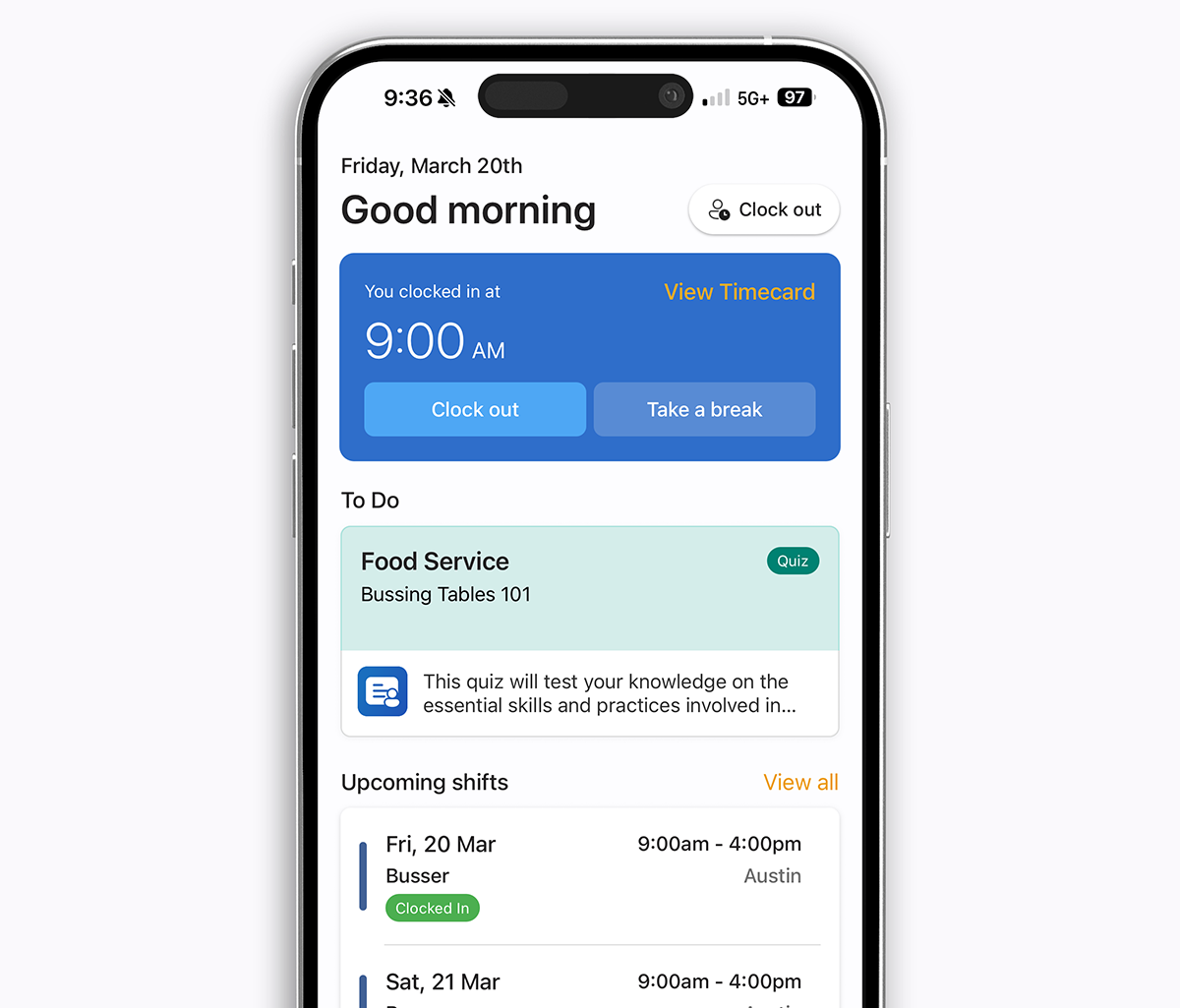
If you employ a Spanish-speaking workforce, this is one of the easiest wins for Teamsly. When I Work ships a partially translated UI in select areas. Teamsly is fully bilingual end-to-end - schedules, notifications, training quizzes, audits, and chat all render in the employee's preferred language.

Teamsly vs When I Work by industry
Restaurants & hospitality
- Teamsly - better for multi-location operations, opening/closing audits, food-safety training, and bilingual back-of-house staff.
- When I Work - better for a single small restaurant that only needs schedules and timesheets.
Retail
- Teamsly - handles tasks, visual-merchandising forms, store audits, and scheduling in one app.
- When I Work - scheduling and time tracking only.
Field services (construction, cleaning, security, HVAC)
- Teamsly - purpose-built jobs module, live GPS, geo-fenced job-site clock-ins, on-call dispatch, audits, and accountability.
- When I Work - limited beyond shift scheduling; no jobs module.
Healthcare & senior living
- Teamsly - on-call shifts, certification tracking, compliance audits, training records, bilingual team support.
- When I Work - basic shift scheduling only.
Common scheduling challenges (and how Teamsly vs When I Work handles them)
- Last-minute callouts - When I Work: manual shift swaps. Teamsly: AI-assisted open-shift broadcasts plus on-call shifts.
- Over/understaffing - When I Work: manual balancing. Teamsly: AI optimizes against demand and labor budget.
- Field-crew dispatch - When I Work: not supported. Teamsly: dedicated jobs module with live GPS.
- Training inconsistency - When I Work: external LMS required. Teamsly: built-in training, AI-generated quizzes, completion tracking.
- Compliance tracking - When I Work: limited. Teamsly: structured forms, audits, signed acknowledgments, photo evidence.
- Bilingual workforce - When I Work: partial translation. Teamsly: fully bilingual UI app-wide.
When should you choose Teamsly vs When I Work?
Choose Teamsly if:
- You operate multiple locations
- You need training, onboarding, or compliance tracking
- You want to consolidate scheduling, ops, and a separate jobs/LMS tool
- You manage field crews and need live GPS, on-call shifts, and a jobs module
- Predictable per-location pricing matters as you grow
Choose When I Work if:
- You have a small single-location team
- You only need scheduling and time tracking
- You want the simplest possible setup with minimal configuration
Teamsly vs When I Work in real businesses
A small single-location team focused on the basics
If you're running one cafe, one retail shop, one studio, or one small clinic, your priorities are usually narrow - publish a weekly schedule, run a mobile time clock, message your staff. In that kind of setup, When I Work's polished scheduler and per-user pricing can be a familiar, low-friction fit, especially if you only have a handful of employees.
A business expanding into multiple locations
The minute you add a second or third location, the math and the workflow both change. It's no longer just about scheduling - it's about keeping operations consistent, training employees properly, tracking compliance, and having visibility across teams. This is where Teamsly starts to make far more sense than When I Work, since it brings AI auto scheduling, live GPS, on-call shifts, jobs, forms, training, and a fully bilingual UI into one system at a flat per-location price (Teamsly Basic $20/mo or All-In-One $45/mo per location, with unlimited employees).
A growing team trying to consolidate tools
Many businesses that started on When I Work end up bolting on Jotform for forms, a separate LMS for training, a recurring task app for store opening/closing checklists, and a field-service tool for crew dispatch. At that point you're paying for four or five tools that barely talk to each other. Teamsly replaces that whole stack - When I Work + Jotform + LMS + task add-on + jobs tool - with one app on one bill.
Common problems (and what actually solves them)
- "Scheduling takes too long." When I Work improves efficiency with templates and shift swaps. Teamsly automates it entirely with AI auto scheduling that respects availability, roles, certifications, and labor budget.
- "Employees aren't consistent." When I Work has no training tools at any tier. Teamsly has built-in onboarding, AI-generated quizzes, completion tracking, and standardized workflows in both English and Spanish.
- "We don't know what's happening day-to-day." When I Work gives you scheduling and timesheet visibility. Teamsly gives full operational visibility - forms, audits, recurring tasks, live GPS, on-call coverage, and signed acknowledgments.
Specialization vs. flexibility
The biggest difference between When I Work and Teamsly comes down to how each platform is built.
- When I Work is built around the scheduling-and-time-clock basics - schedule, mobile time clock, shift swaps - for single-location hourly teams.
- Teamsly is designed for flexibility, combining AI auto scheduling, operations, training, live GPS, on-call shifts, jobs, and bilingual EN/ES workflows into a system that adapts as a business grows or expands into new service lines.
For businesses that plan to stay small and single-location, When I Work can work well. For teams thinking about scaling - adding locations, standardizing processes, dispatching crews, training staff, or supporting a bilingual workforce - Teamsly typically becomes the better long-term choice.
Teamsly vs When I Work: pros and cons
When I Work
Pros
- Simple and easy to use
- Affordable for very small teams
- Strong, polished scheduling features
- Mature mobile time clock
Cons
- Limited beyond scheduling - no forms, audits, or training
- Per-user costs scale with every hire
- No AI auto scheduling
- No live location tracking, on-call shifts, or jobs module
- Bilingual support is partial only
Teamsly
Pros
- All-in-one platform - scheduling, ops, jobs, training in one app
- AI auto scheduling, AI forms, AI quizzes
- Live location tracking, on-call shifts, dedicated jobs module
- Fully bilingual (English / Spanish) end-to-end
- Predictable per-location pricing with unlimited employees
Cons
- Setup may take longer for larger teams configuring forms and training
- Some payroll integrations vary by region
- Newer brand than When I Work
Alternatives to Teamsly and When I Work
Other workforce management tools worth comparing if Teamsly vs When I Work doesn't quite match your shortlist:
- 7shifts - restaurant-specific scheduling and tip management.
- Buddy Punch - tight time-tracking with anti-buddy-punching controls.
- Connecteam - modular workforce platform split into three hubs.
- Deputy - compliance-focused scheduling and labor management.
- Homebase - simple scheduling and built-in payroll for single-location small teams.
- Humanity - enterprise scheduling and forecasting.
- Sling - free shift scheduling with newsfeed-style messaging.
- Square - POS-first platform with payroll and basic team tools.
The bottom line: Teamsly vs When I Work
When I Work = simple scheduling and time tracking for hourly teams. If your priority is publishing a weekly schedule, running a mobile time clock, and processing shift swaps from one app for a single location, When I Work is a perfectly good answer. It's polished, easy to onboard, and familiar to most managers.
Teamsly = operational and workforce management. If your focus is team performance, consistency, training, multi-location standardization, jobs and crews in the field, on-call coverage, or a bilingual EN/ES workforce, Teamsly is the better long-term platform, and usually at less than half the per-location cost. AI auto scheduling, live GPS, on-call shifts, a Job Scheduling module, forms, audits, recurring tasks, training, and a fully bilingual UI all live in one app, on one bill.
Most growing teams don't actually have to choose all at once. Try Teamsly free for a single location, see what AI auto scheduling, live GPS, and bilingual training feel like in practice, and migrate the rest of your business when you're ready. Book a quick live demo if you'd like to see exactly how the switch from When I Work to Teamsly works.
Try it free
Teamsly is free to start with no credit card. Most teams have their first AI-generated schedule built in under 10 minutes. Start your free Teamsly account today