

Shift Types
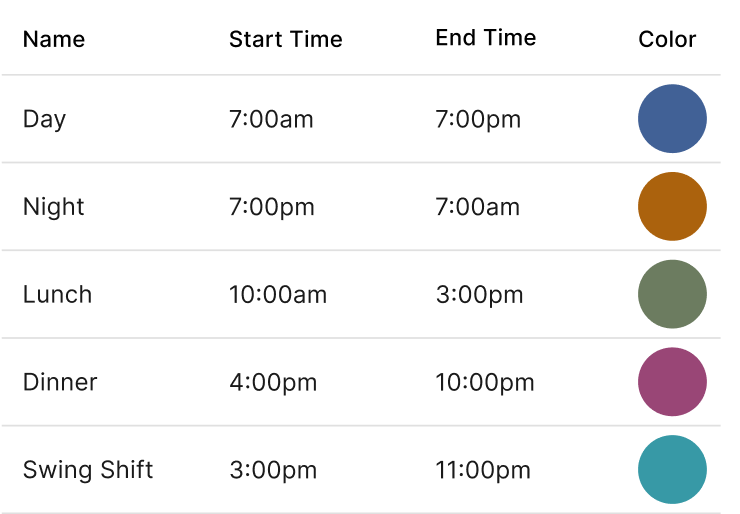
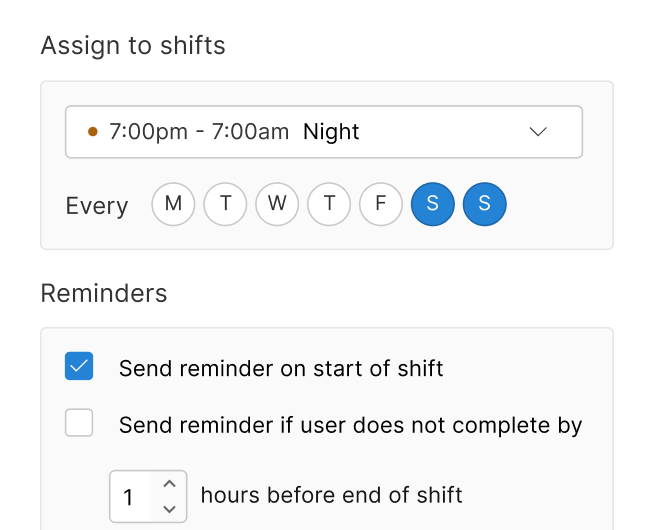
Create reusable time blocks like Lunch, Dinner, Closing, or Overnight so you do not have to enter the same start and end times every time.
Use our employee scheduling app to track time, manage shifts, and stay on top of labor cost—while keeping your team connected.
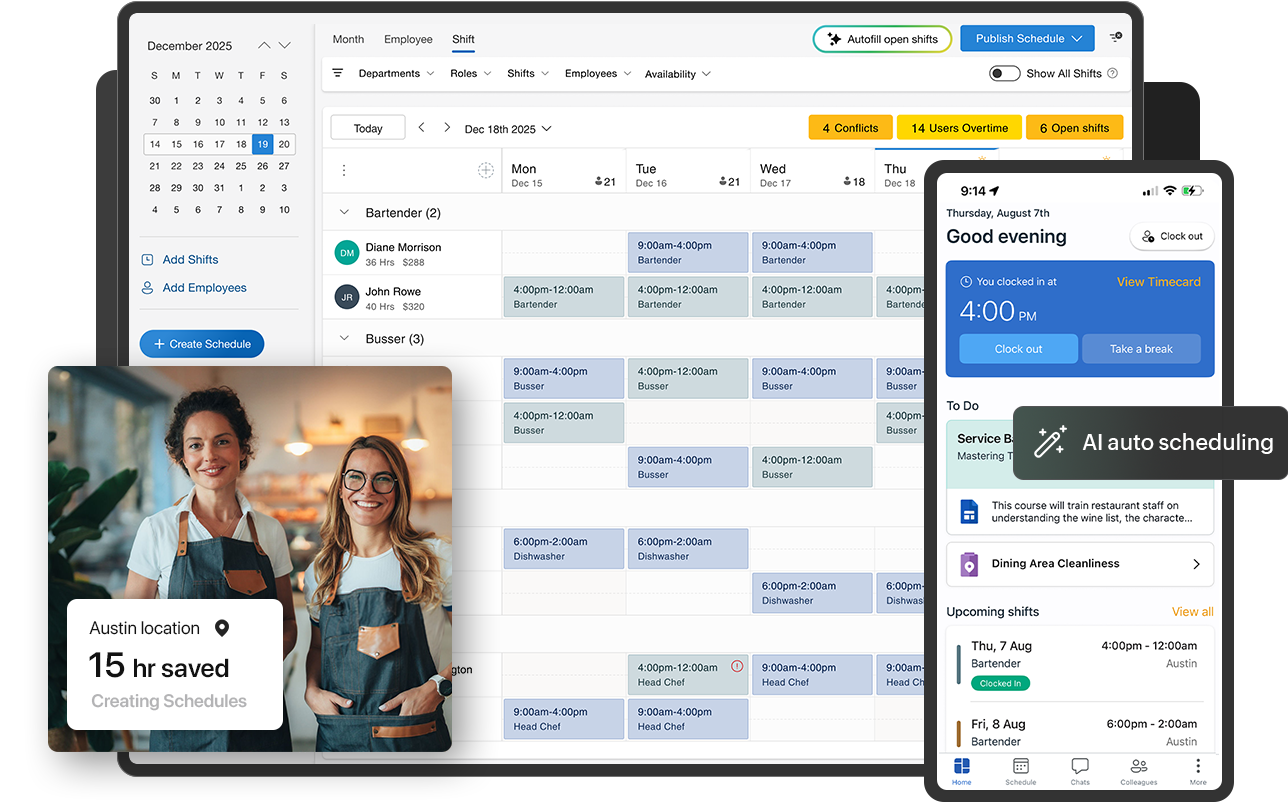
Manage complex schedules with advanced tools designed to streamline your workflow.
Multi-Schedule Management: Work on multiple schedules simultaneously, schedule by team or department.
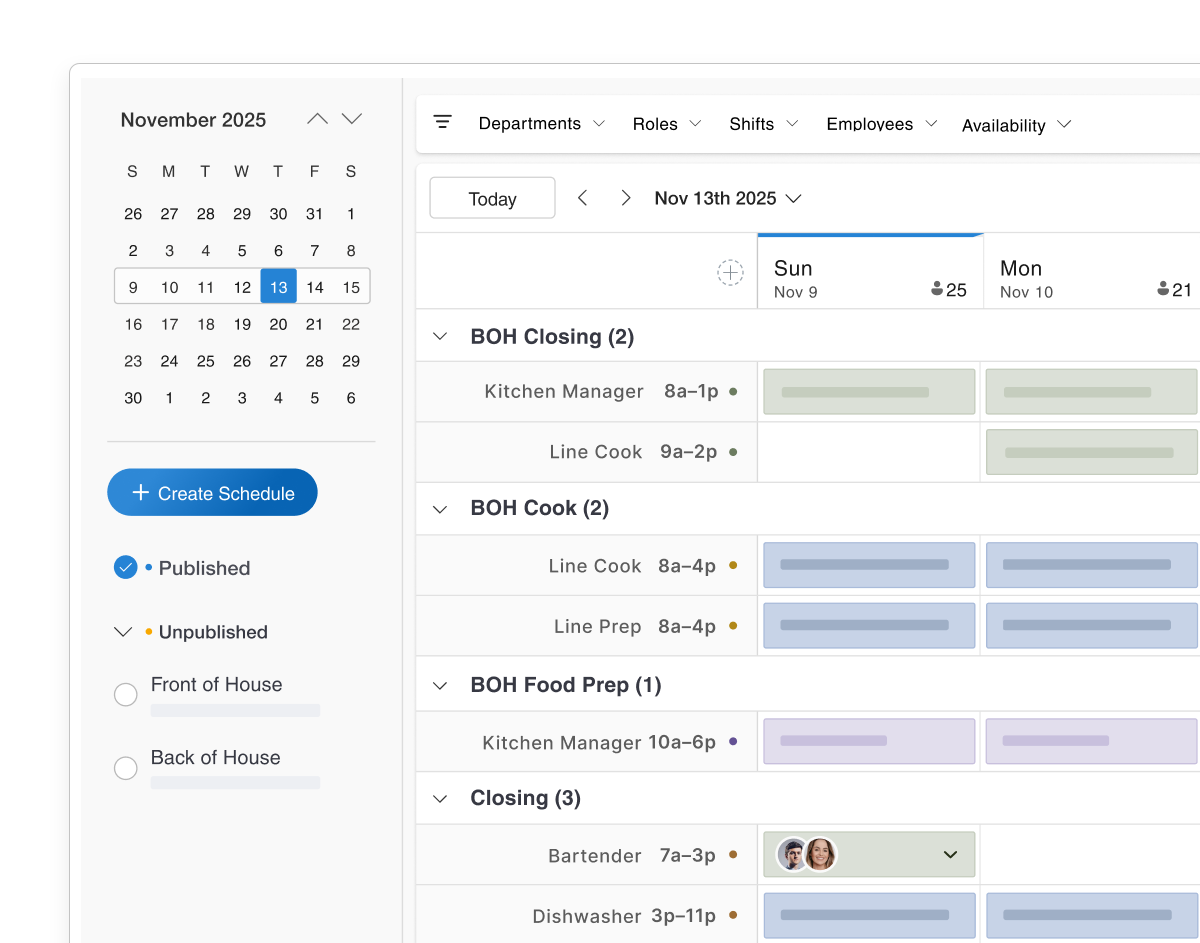
ShiftTypes & Schedule Templates: Reuse common shift times, define coverage needs, and apply recurring scheduletemplates to build schedules faster.
Enhanced Shift Management: Set shift reminders, shift notes, shift tasks and schedule by employee availability and preference.
Easily cover last-minute shifts by sending targeted alerts and adding incentives to motivate your team.
Create schedules anywhere: Build new schedules with AI Auto Scheduling right from the app, whether you are in the office or on the move.
Publish instantly: Publish schedules in seconds so your team always has access to the latest shift information.
Handle changes on the fly: Add shifts, manage open shifts, and fill coverage fast when callouts or last-minute changes happen.
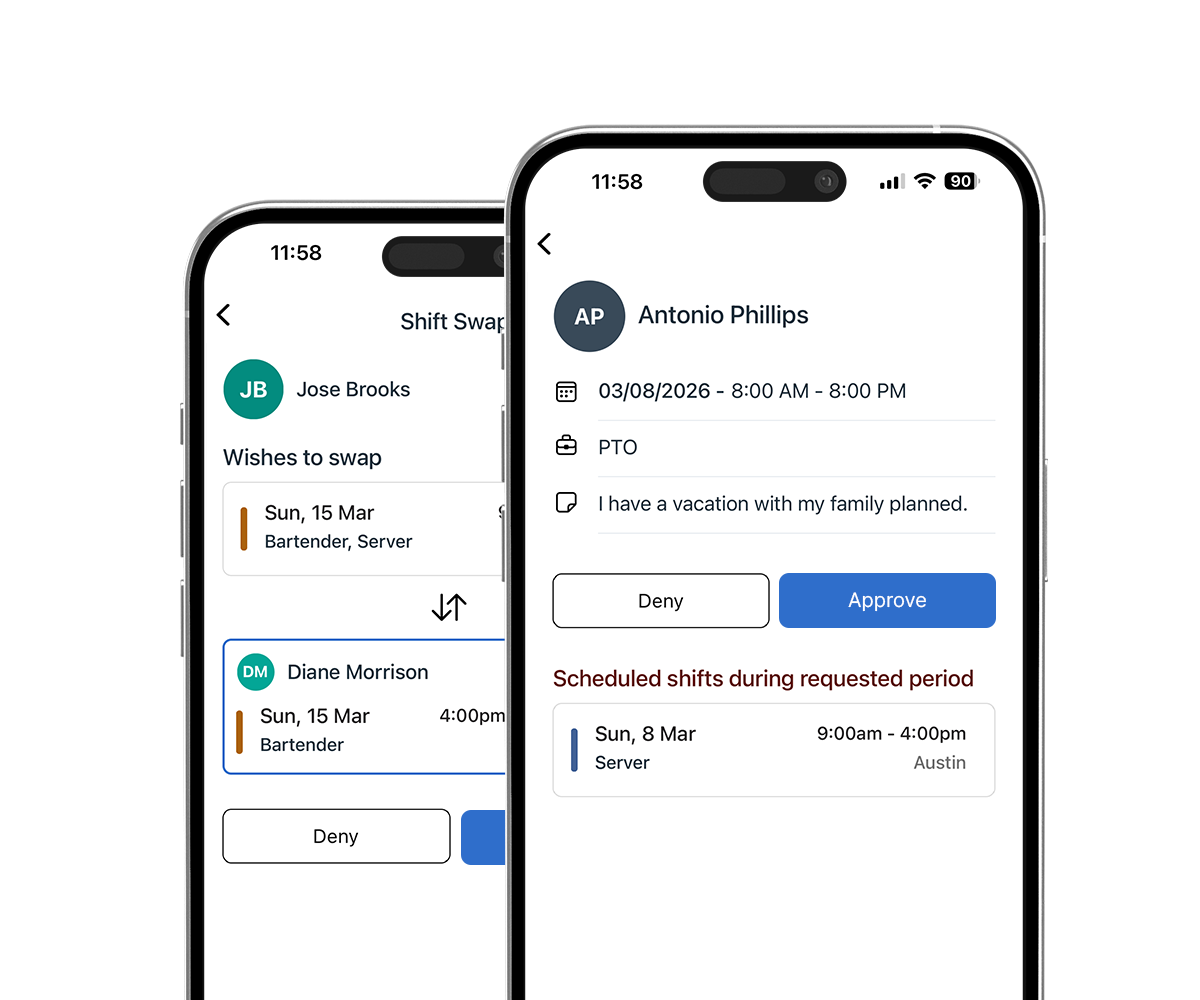
Easily manage time off requests, availability, and schedule adjustments with flexible, real-time tools.
Effortless Tracking: Track and manage employee availability and time off requests with ease, ensuring smooth scheduling at all times.
Flexible Scheduling: Allow employees to cover, trade, or pick up open shifts while setting advance notice requirements for time off requests.
Real-Time Adjustments & Insights: Adjust your schedule on the fly from anywhere, and leverage schedule reporting for valuable insights.
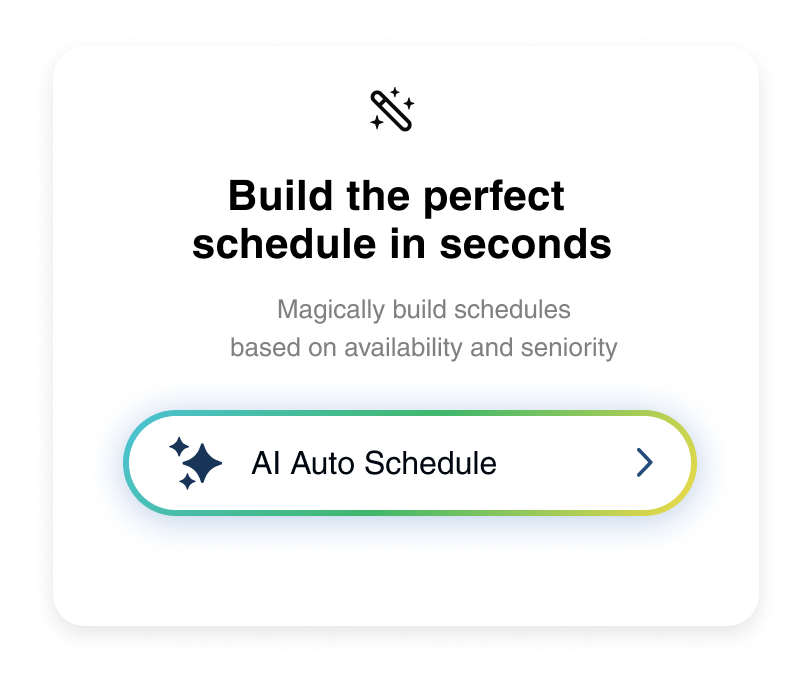
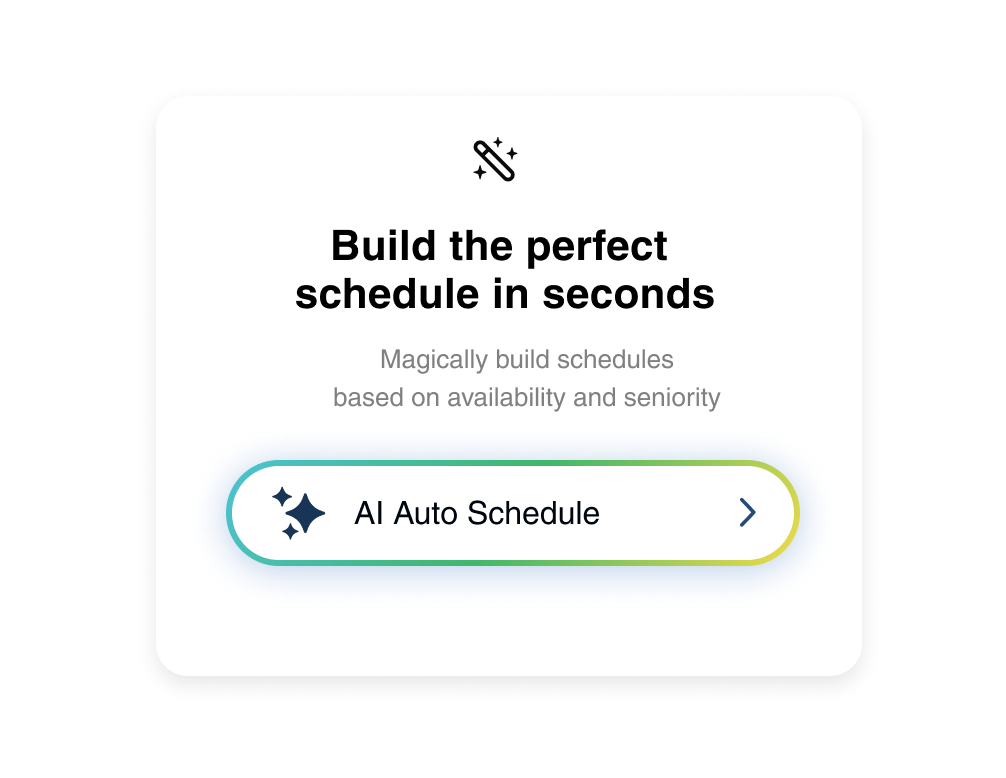
Generate perfectly balanced schedules with AI that understands your team’s real-life patterns.
Use saved staffing needs and schedule templates to create a schedule ready for review.
AI analyzes past weeks to assign coverage, honoring availability, preferences, and compliance rules.
Intelligent rebalancing prevents overtime, redistributing shifts before any slot remains open.
Easily cover last-minute shifts by sending targeted alerts and adding incentives to motivate your team.
Emergency Shift Coverage: Send text messages or mobile app notifications to available employees when a shift needs to be covered urgently.
Targeted Alerts with Incentives: Choose employees based on availability, and add incentives like free meals to encourage quick responses.
Mobile Shift Approval: Approve shift covers directly from the mobile app, ensuring smooth operations even in emergencies.
Get in touch, and let's explore how we can bring your ideas to life! Our team is ready to develop tailored solutions that fit your unique needs.
Get in touchSet up reusable shift types, staffing needs, and schedule templates so you can build schedules faster with fewer mistakes.
Create reusable time blocks like Lunch, Dinner, Closing, or Overnight so you do not have to enter the same start and end times every time.
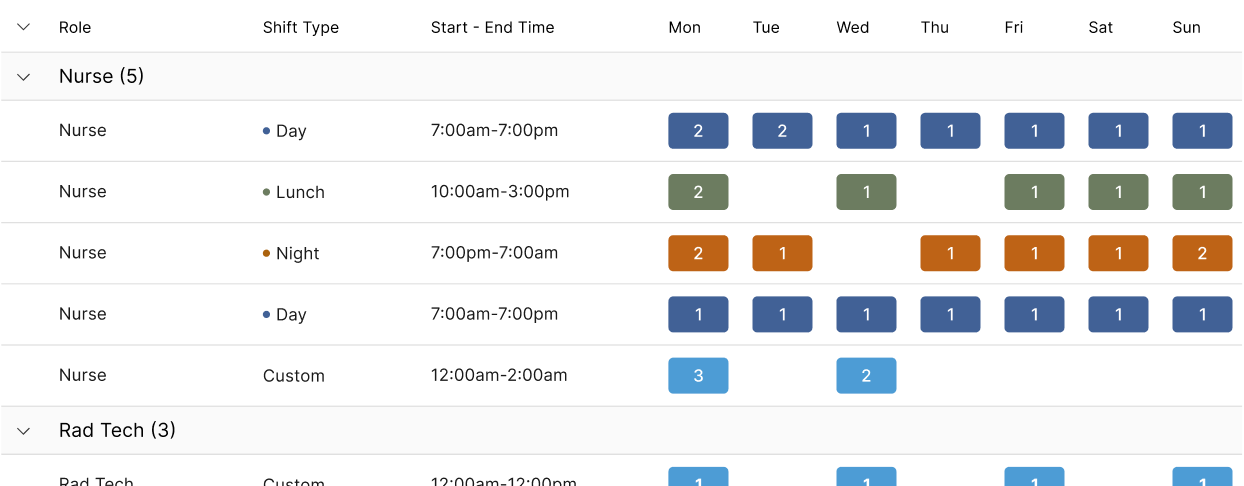
Define how many people you need by role, day, and time so Teamsly can help create the right open shifts when building a schedule.
Assign recurring staffing needs to employees with set weekly, bi-weekly, or rotating schedules.


Sarah Thompson
Manager, Westview Hospital
Build smarter schedules in minutes. Our AI-powered tools handle complex shift patterns, availability conflicts, and multi-location coordination so you can focus on running your business.
Let AI build optimized schedules automatically by analyzing availability, skills, and labor costs to create the perfect shift lineup in seconds.
Work on several schedules simultaneously across different locations or departments without switching screens or losing context.
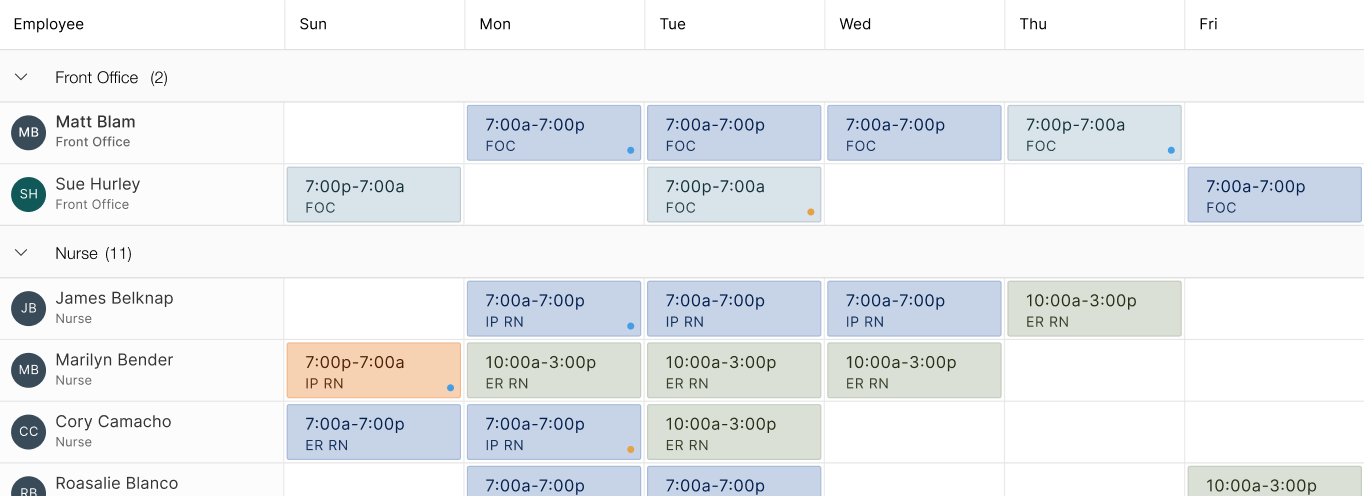
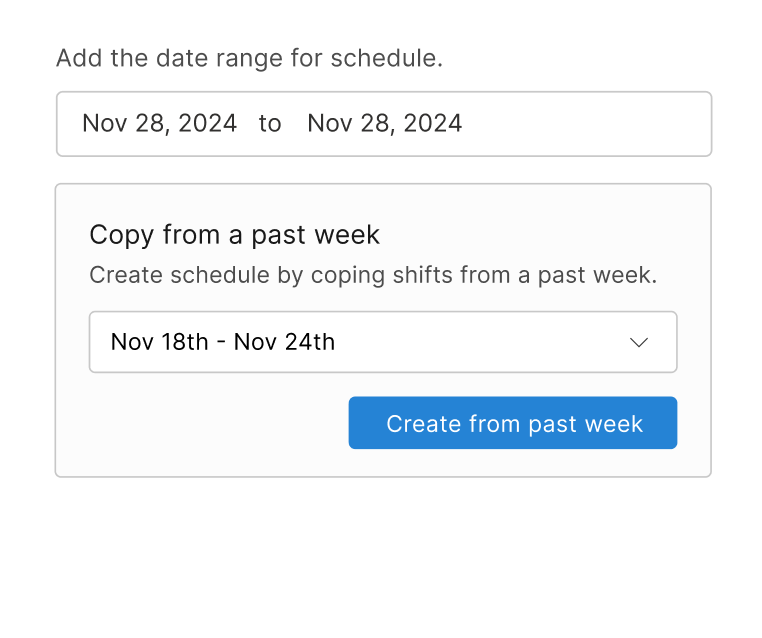
Create reusable schedule templates and types to standardize your scheduling process and build consistent weekly rosters in just a few clicks.
Empower employees to cover, trade, and pick up open shifts through the mobile app with manager approval keeping you in control.
Collect and manage employee availability and time-off requests digitally. See conflicts instantly when building your schedules.
Attach important notes and instructions to any shift so employees arrive prepared with all the context they need.
Automated push notifications and reminders ensure your team never forgets an upcoming shift, reducing no-shows dramatically.
Organize schedules by department or team to keep complex operations clean and give department managers focused control.
Quickly fill open shifts with qualified available employees using smart suggestions that consider skills and preferences.
Automatically notify available employees when shifts open up, allowing them to claim shifts instantly from their phone.
Track and manage PTO balances, accruals, and requests in one place. Approved time off automatically blocks scheduling conflicts.
Schedule on-call employees and quickly activate them when needed. Keep backup staff ready without cluttering your main roster.
Intuitive drag-and-drop scheduling lets you move, extend, and reassign shifts visually on an interactive calendar view.
Post unassigned shifts for employees to claim based on their availability. Perfect for busy periods needing flexible coverage.
Create and edit schedules from anywhere using our mobile app. Make last-minute changes on the go without needing a computer.
Assign specific tasks to shifts so employees know exactly what responsibilities they need to complete during their work time.
Attach custom forms to shifts for employees to complete. Collect data, checklists, or reports as part of shift workflows.
Filter schedule views by role, department, employee, or availability to quickly find exactly what you need in large teams.
Assign employees to specific jobs or projects alongside regular shifts. Track job-based labor allocation and completion.
Get complete visibility into your workforce data. Export hours to payroll, analyze scheduling efficiency, and generate detailed reports that help you make smarter labor decisions.
Bulk import your entire employee roster from CSV or spreadsheets. Get your team set up quickly without manual data entry.
Compare scheduled hours against actual worked hours and pay rates. Export all data directly to your payroll system seamlessly.
View weekly breakdowns of hours by role across your schedule. See at a glance how labor is distributed across positions.
Get comprehensive weekly schedule reports showing all employees, their shifts, start and end times, and total hours per day.
Track total scheduled hours per employee and department. Identify over or under-scheduled staff before the week begins.
Stay compliant with labor laws automatically. Our system tracks overtime, breaks, and scheduling conflicts to help you avoid costly violations and keep your team protected.
Automatically identify overlapping shifts, availability conflicts, and cross-schedule issues before publishing to prevent problems.
Configure daily and weekly overtime rules with custom pay multipliers. Track approaching overtime thresholds in real-time on the schedule.
Get alerts when employees approach or exceed overtime limits. Set warning thresholds to take action before costs escalate.
Configure mandatory paid and unpaid breaks based on hours worked. Track break compliance to stay aligned with labor regulations.
Create digital forms and audits for compliance documentation. Ensure processes are followed consistently across all locations.
Plan ahead with complete visibility into employee availability. Collect preferences, manage recurring unavailability, and build schedules that work for everyone.
Set recurring unavailable times for employees. While scheduling is still allowed, managers receive clear warnings to avoid conflicts.
Employees submit unavailability directly from web or mobile apps. Availability data syncs instantly to the scheduling calendar.
Collect preferred working hours from your team. Use preferences alongside availability to build schedules that boost morale.
Customize time tracking to match your business needs. Control when and where employees clock in, automate reminders, and enforce policies that keep operations running smoothly.
Control whether employees can clock into unscheduled shifts from the app. Set permissions that match your operational policies.
Restrict mobile clock-ins to specific GPS locations around your workplace. Ensure employees are on-site when they punch in.
Prevent employees from clocking in more than a set number of minutes before their scheduled shift starts to control labor costs.
Automatically send push notifications or texts to employees who forget to clock out after their shift ends.
Prompt employees to declare cash tips when clocking out. Capture tip data directly in the mobile app for reporting.
Automatically clock employees out a set number of minutes after their scheduled shift ends if they forget to punch out.
Set blackout periods when time-off requests are blocked. Configure advance notice requirements for requesting days off.
Customize which push notifications employees receive. Control alerts for schedule changes, reminders, and team announcements.
Keep standby coverage ready without cluttering your main roster. Mark shifts as on-call, set pay rules, and activate employees the moment you need them.
Mark any shift as on-call directly on the schedule. On-call employees appear separately so your core roster stays clean and easy to read.
Choose how standby employees are compensated before they get called in — flat rate, hourly standby pay, or no on-call pay at all.
Configure a pay multiplier that kicks in the moment an on-call employee is activated and clocks in — like 1.5x or 2x their regular rate.
On-call employees on standby won't be marked as late and won't receive clock-in reminders unless they are actually called in to work.
Standby time doesn't count toward weekly overtime totals, so scheduling on-call coverage never accidentally inflates your labor costs.
No features match your search. Try a different keyword.
Download our employee scheduling mobile app for iOS or Android to manage schedules, track time, and stay in touch with your team—anytime, anywhere.



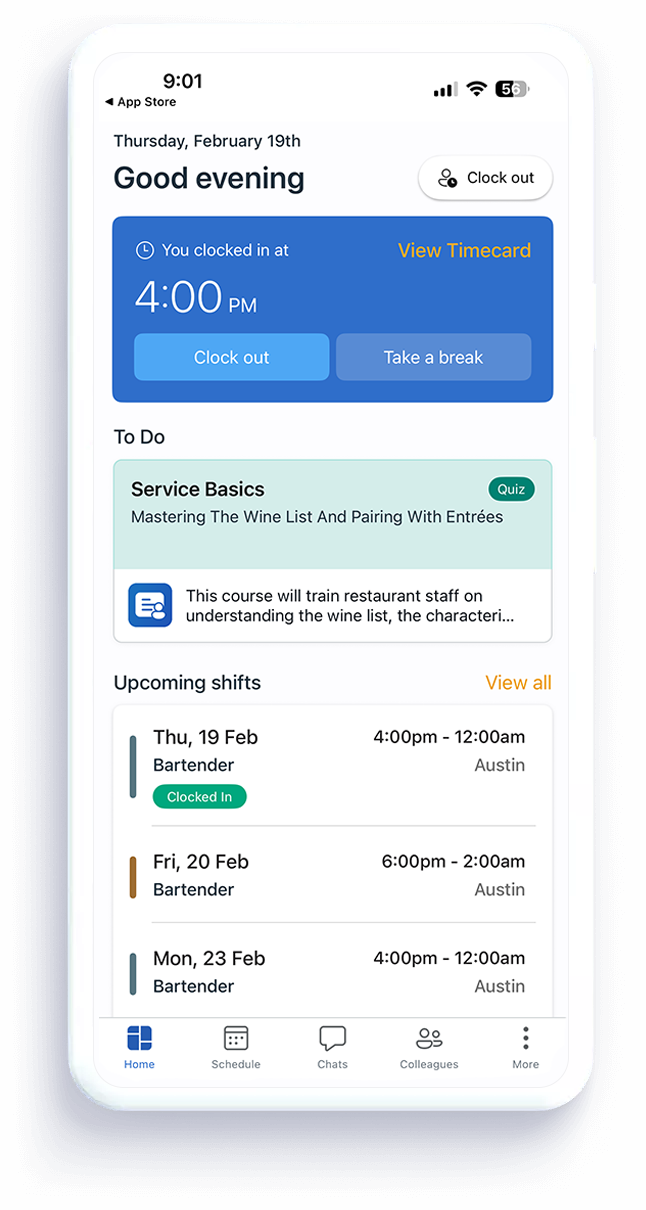
Take control of your shifts with teamsly’s employee scheduling software and powerful scheduling features.
Multiple Schedules
Schedule by Department
Autofill Shifts
Trade & Cover Shifts
Shift Templates
Overtime Alerts
Shift Reminders
Schedule Reporting
Open Shift Alerts
Emergency Shift Coverage
Multiple Schedules
Schedule by Department
Autofill Shifts
Trade & Cover Shifts
Shift Templates
Overtime Alerts
Shift Reminders
Schedule Reporting
Open Shift Alerts
Emergency Shift Coverage
Yes, you can work on multiple schedules simultaneously, organize shifts by department, and use templates to streamline the process.
You can instantly share schedules and updates via text messages, push notifications, or through the iOS and Android apps. Your team will always be informed.
Absolutely! Employees can easily trade shifts, pick up open shifts, or cover a shift directly from the mobile app, making scheduling more flexible for your team.
Yes, you will receive notifications before publishing a schedule if any employees are at risk of hitting overtime, and you'll get real-time notifications as employees approach overtime during shifts.
Managers can send targeted notifications or text messages to available employees to cover an emergency shift. You can also add incentives like free meals to encourage employees to pick up shifts quickly.
Our system makes it easy to track employee availability and manage time-off requests. Employees are able to set their own availability and preferred work schedule and with our PTO module you can create unlimited PTO and Paid Sick Leave policies.
Yes, you can make schedule adjustments anytime, from anywhere, using the mobile app or desktop version, giving you full flexibility in managing your team.
Yes, you can create and save schedule templates for employees with recurring or repeating schedules.