92%
Of recurring tasks completed on time, every week — assigned automatically to the right person on the right shift, with reminders before they're due.


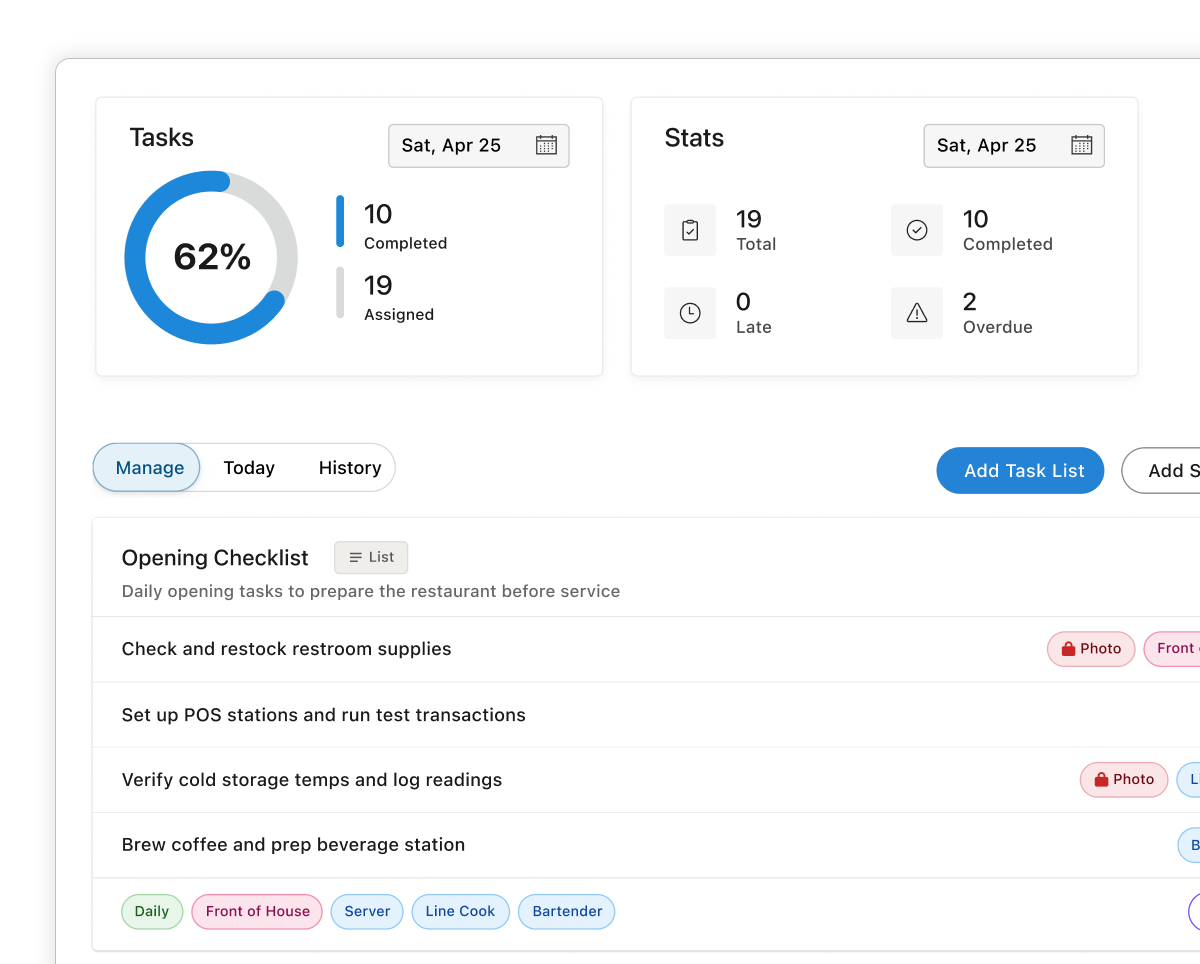
Assign single tasks or full checklists, set them to repeat, require a photo to verify, and watch every completion roll into one tidy history.

Every feature in Teamsly's task manager solves something we struggled with firsthand—from chasing closing duties to proving the work actually got done.

Daily, weekly, or one-off — auto-assigned the moment they're due.
Send to a person, role, position, or whole shift in one tap.
Require a photo to verify the job — straight from the phone.
Every completion timestamped, photo-stamped, and searchable.
Quickly post a single one-off task or build a full checklist, then assign it to a person, a role, or a whole shift. No more sticky notes, no more "I didn't know."
Single tasks for ad-hoc work, lists for repeating routines
Assign by person, role, position, or facility
Add notes, due windows, and require a photo to mark complete
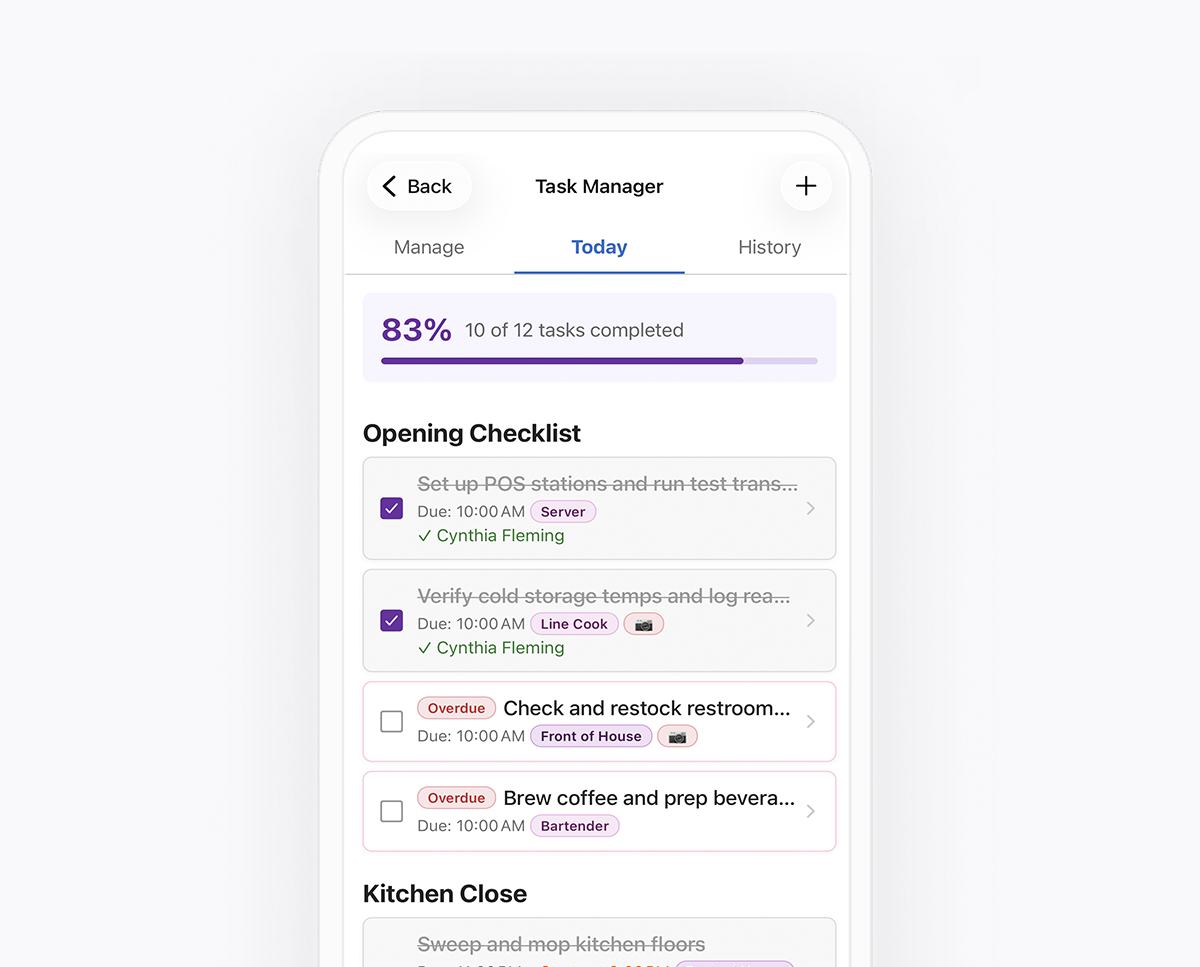
Choose Daily, Weekly, or one-off cadence. Teamsly handles the rest — staff get the task assigned to them on their phone the moment it's due, so they always know exactly what's theirs to finish.
Daily, weekly, and one-time recurrence
Require a photo to mark complete
Push notifications when a task drops
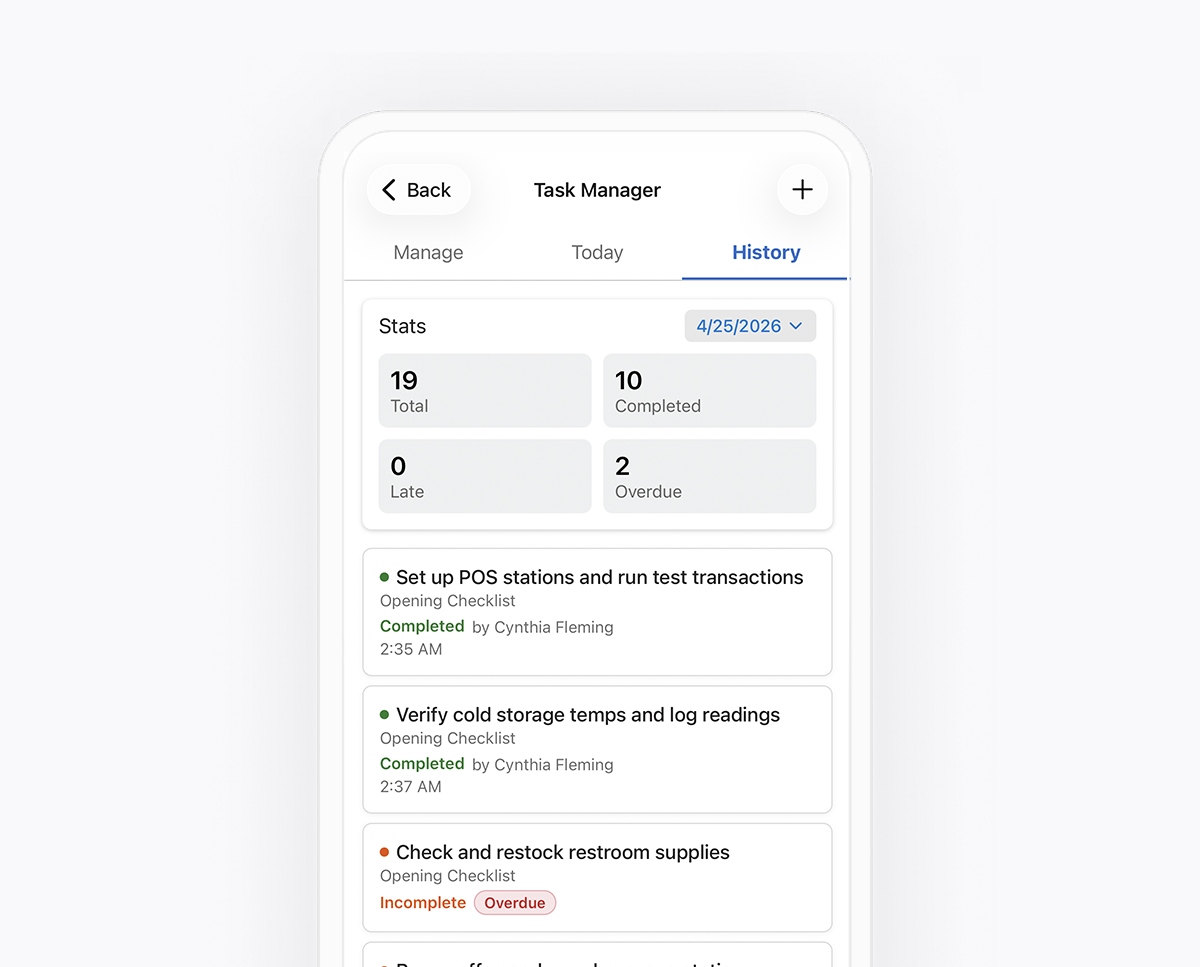
Every completion lands in the History tab with a timestamp, the photo, and the person who did it. See totals, spot overdue tasks, and drill into any single entry.
Per-task completion log with photos and notes
See total, completed, late, and overdue counts
Filter by person, list, or status
Customer Story
“Opening prep, table resets, espresso machine cleaning, closing side-work — it all used to live in a binder nobody opened. Now every shift sees their tasks the moment they clock in, and we get a photo-stamped log of every close.”

Alyssa Moreno
Café Manager at Maple & Vine

Checklists go stale and notes get ignored. Teamsly tasks are tied to real people and real shifts — they show up on the right person's phone at the right time, get marked complete with a timestamp (and a photo if you require one), and roll into a history you can actually audit. No more "I thought Jess was doing that."
It stays visible as overdue on both the assignee's phone and the manager dashboard, and shows up in the History tab as "Missed." You can also enable push reminders so the team gets a nudge before the due window closes — not just after.
Yes. The History tab shows completion rates by person, list, and time period. You can spot who's consistently on top of closing duties, who's skipping the photo step, and which lists are actually getting done vs. just being assigned.
Yes. Like the rest of Teamsly, the mobile app honors each user's language preference — so a single task list reaches your English-speaking and Spanish-speaking staff in the language they actually read.
Yes. Managers can see completion status by location, team, or form type, spot recurring issues, and export results to CSV or PDF for deeper analysis. This makes it easy to identify problem areas, measure improvement, and show leadership the impact of your standards.
Yes. Managers can create single tasks, build full checklists, edit recurrence, reassign people, and review history right from the Teamsly mobile app — same capabilities as the web dashboard. Handy when something comes up mid-shift and you don't want to walk back to the office to assign it.
Try teamsly free for 30 days