

.svg)
Crew Scheduling & Job Management
Crew & Job Scheduling

This is your central hub for job scheduling, crew dispatch, and daily operations. It provides schedulers with total visibility while ensuring crews stay perfectly aligned on every job and shift.
.png)
Manage Every Job in one place
Capture each job once then let teamsly turn it into clear, trackable shifts your team can rely on.
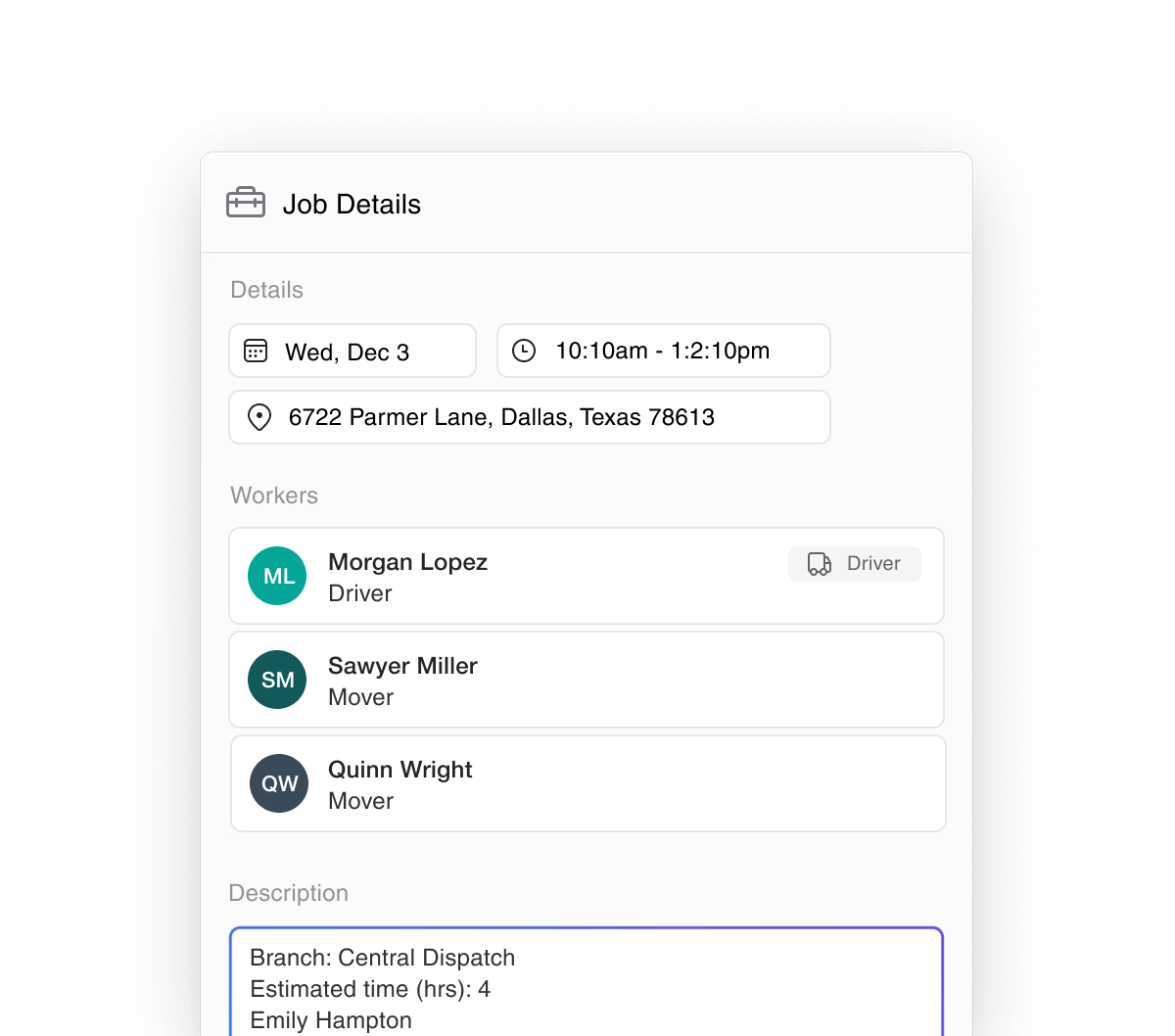
Complete Job Profiles: Store everything for each job or work order in one place: customer details, addresses, equipment needs, and clear crew notes.
Role-Based Crew Assignments: Assign the right mix of roles to each job. See who is booked, avoid overlap, and keep staffing clear in one simple view.
Geofenced Time Clock: Link each job to a real-world location. Crews can only clock in on-site, which makes time, attendance, and payroll more accurate.
Turn Jobs Into Organized Schedules
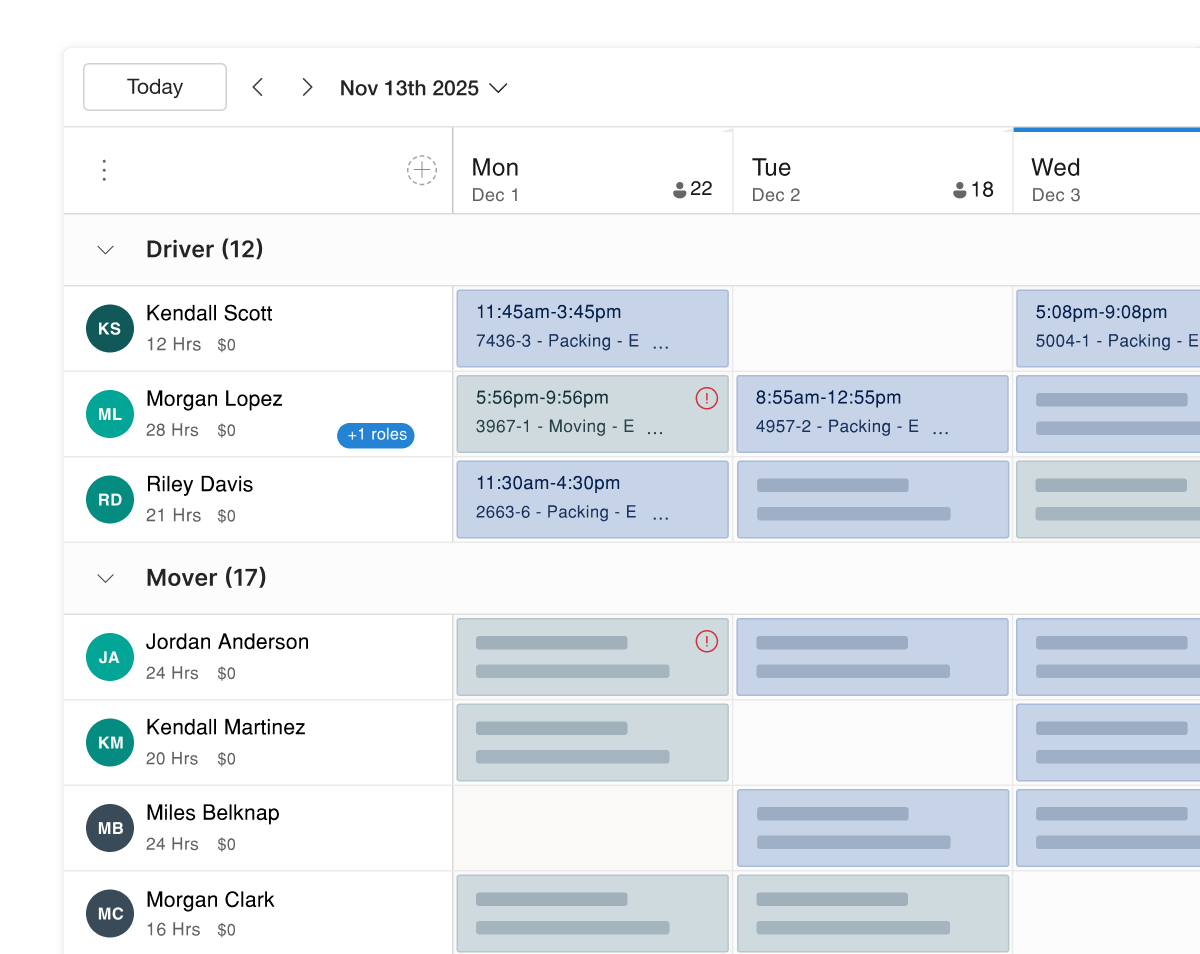
Create a job and teamsly builds the shifts for you. Your schedule updates right away so you can manage every assignment in real time.
Live Schedule Intelligence: See coverage by role at a glance. Catch conflicts early and spread work out so you don’t rack up overtime.
Hours, Wages & Overtime: Track scheduled hours and estimated pay while you plan. Stay fully staffed and keep labor costs under control.
Shift-Level Control: Drag, swap, or edit single shifts and the job updates automatically, keeping employees and customers on the same page.
Manage Jobs and Shifts Anywhere
Use the teamsly field service app to review jobs, update details, and adjust shifts from your phone, in the office or in the field.
Job & Shift Control: View job summaries, edit times, addresses, notes, and quickly add or adjust shifts right from the job card.
Calendar & Shift Alerts: Browse the jobs calendar to see gaps fast. Send shift alerts from your phone to fill openings in minutes.
All-In-One App: Switch between chat, forms, audits, tasks, and training in one app. Managers and crews stay connected without jumping tools.
Geo-Fence Clock-Ins & Live Location Tracking
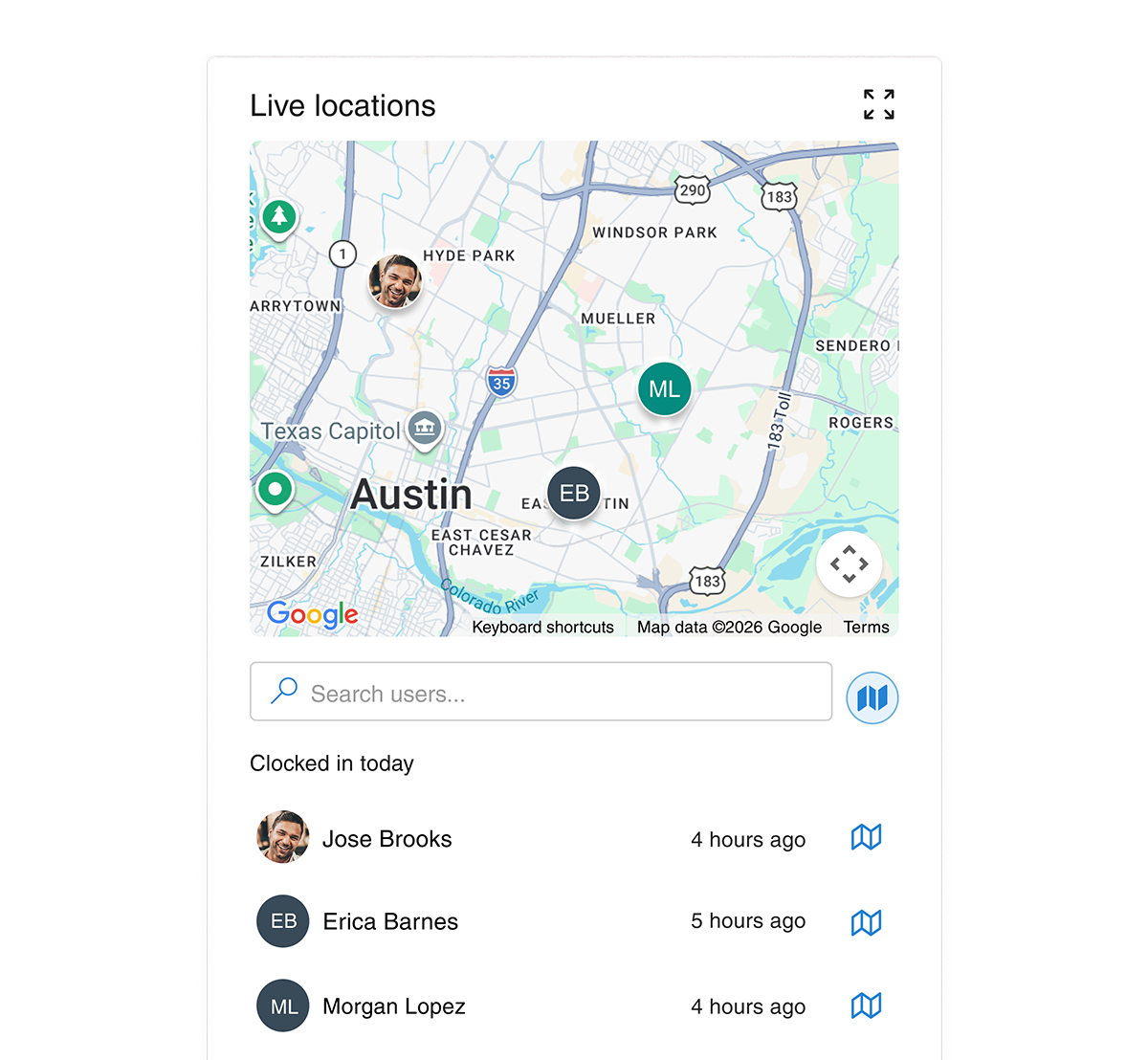
Stay connected with your mobile workforce in real-time. Monitor live GPS locations and set automated boundaries to ensure your team is on-site, on-route, and on-schedule.
Smart Geo-fencing: Limit mobile clock-ins to a specific radius around an address to ensure employees are physically at the job site before their shift starts.
Real-Time Location Monitoring: View active users on a live manager dashboard during working hours to coordinate tasks and respond to field updates instantly.
Automated Route Tracking: Track the exact path your team takes throughout the workday to optimize travel time, verify site visits, and improve operational efficiency.