

TL;DR — Teamsly vs. Sling in 30 seconds
Both apps cover scheduling, time tracking, and team chat. The difference shows the moment your team needs more than scheduling-and-chat.
Sling (founded 2015 in Reykjavík by Helgi Hermannsson, now sold via the Toast Marketplace) is a focused scheduling and team-communication app: drag-and-drop schedules, a mobile time clock with geofencing, messaging, newsfeed, labor cost forecasting, and lightweight tasks — priced per active user at $1.70 (Premium) or $3.40 (Business)/month.
Teamsly is a dedicated all-in-one workforce platform for shift-based and field-based teams. On top of scheduling and chat it adds AI auto-scheduling, forms & audits, recurring tasks with photo proof, AI-generated training, fully bilingual EN/ES, live GPS, on-call shifts, and jobs & crew dispatch — on flat per-location pricing (Free, $29 Basic, $59 All-In-One) with unlimited employees.
- Tiny single-location team that just needs a free schedule + chat? Sling works.
- Multiple locations, frontline operations, training, field crews, bilingual staff, or you want AI to build the schedule? Teamsly is the better long-term fit — and usually cheaper by the second or third location.
Teamsly's AI auto-scheduler builds a compliant draft in seconds. Managers report dropping from 45+ minutes to under 15 in their first month after switching from Sling's manual drag-and-drop.
Key differences at a glance
Sling is a scheduling and chat tool. Teamsly is a workforce platform. The chips below show what's actually inside each product.
Sling vs Teamsly — what's in the box
Pricing — what you'll actually pay
The core difference is structural: Sling is per active user, Teamsly is per location. That single design choice changes the math the moment you grow.
Sling pricing (2026)
- Free: shift scheduling, messaging, time-off requests — up to 30 users.
- Premium — $1.70/user/mo: mobile time tracking, labor cost management, overtime, calendar sync.
- Business — $3.40/user/mo: kiosk time tracking, reports, no-show alerts, sick call-outs, PTO.
Teamsly pricing (2026)
- Free: 1 location, up to 10 employees — basic scheduling, basic time tracking, availability & time-off, team chat.
- Basic — $29/location/mo (or $24/mo billed yearly): advanced team communication, advanced reporting, basic checklists/forms, basic quizzes/lessons.
- All-In-One — $59/location/mo (or $49/mo billed yearly): advanced scheduling (AI auto-scheduling), advanced time-off & PTO, advanced cost management, advanced forms & quizzes, live GPS, on-call, jobs & crews.
30-day free trial on paid plans. No credit card required, no setup fees, no hidden costs — cancel or switch anytime.
Annual cost as your team grows
Sling Business at $3.40/user/mo vs Teamsly All-In-One at $59/location/mo (1 location per ~25 employees).
Sling's bill rises with every new hire. Teamsly's only steps up when you open a new location — and Teamsly still includes AI scheduling, live GPS, on-call, jobs, forms, audits, training, and bilingual EN/ES that Sling doesn't offer at any tier.
The smaller-team math (10 employees, 1 location)
Bilingual end-to-end (not just translated buttons)
If even part of your team prefers Spanish, this matters more than people realize. Sling is an English-first product without a fully bilingual employee experience.
Teamsly is fully available in both English and Spanish. Employees switch languages instantly from any screen — schedules, push notifications, training quizzes, forms, audits, on-call call-outs, chat, and clock-in prompts all render in their preferred language. Managers see one consistent dashboard while every employee sees the app in the language they actually work in.

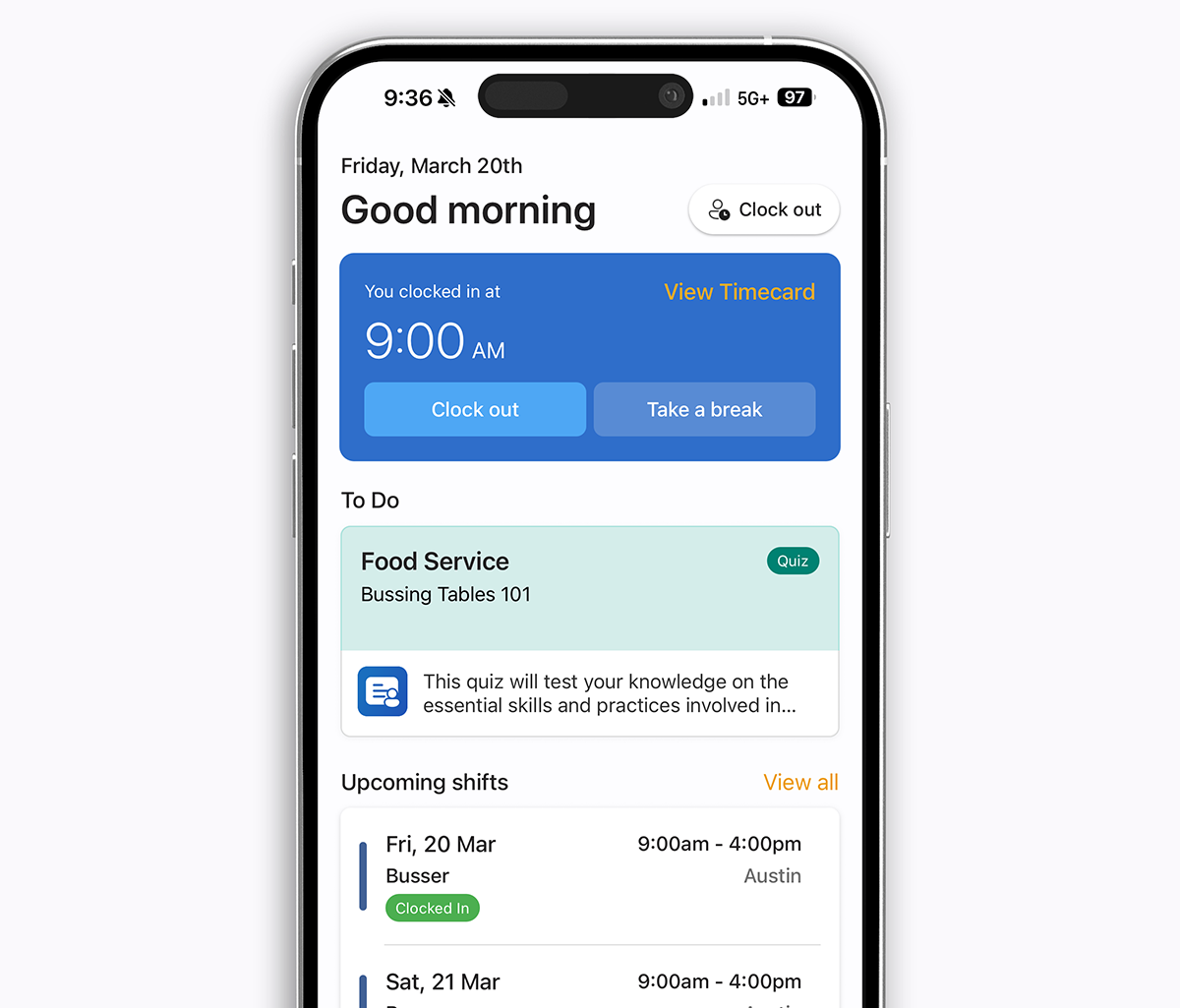
For restaurants, hospitality, healthcare, construction, cleaning, and beauty operators with bilingual staff, this single feature reduces missed shifts, blown training, and compliance gaps from day one.
Scheduling: AI auto-scheduling vs. manual templates
Both apps offer drag-and-drop scheduling, copy-forward weeks, templates, and mobile publishing. The difference is who does the work.
Sling scheduling
Sling is fundamentally a manual scheduler. You build the week, the system handles availability and overtime warnings, and your team gets push notifications. Sling's auto-assign is rules-based, not AI — it follows pre-set rules rather than learning from your demand patterns. Every week, you're starting from a template and dragging shifts around.
Teamsly scheduling
Teamsly does the same drag-and-drop building, but layers on a true AI auto-scheduler that takes your forecast, role requirements, certifications, and availability and produces a compliant draft in seconds. Managers tweak instead of build.
How AI auto-scheduling works in Teamsly
- Set your demand targets.Tell Teamsly how many staff you need per role, per shift window — or let it learn from historical traffic.
- Availability is pulled automatically.Employee availability, time-off requests, and certification requirements are already in the system — no spreadsheet needed.
- AI generates a compliant draft.The scheduler fills every shift, avoids overtime, respects predictive scheduling rules, and flags conflicts before they become problems.
- Managers review and publish.Tweak any shift with a drag, then publish. Staff get notified instantly on mobile in English or Spanish.
- Open shifts fill themselves.Remaining gaps are broadcast to qualified staff with optional incentives. Teamsly tracks who accepted, who declined, and why.
Teamsly also handles things Sling doesn't: multi-schedule management (different schedules per role, department, or location, viewed in one place), cross-location coverage (pull qualified staff from one location to another without manual juggling), on-call shift types, and open-shift incentives.
Forms, audits & recurring tasks — Sling's biggest functional gap
This is where the two products genuinely diverge.
Sling has lightweight task templates and shift tasks but no forms engine, no audit trail, no photo proof, no signed acknowledgments, and no training/LMS at any tier. If you want to run a daily safety audit, a temperature log, a weekly inventory count, an SOP signoff, or onboard a new hire with a quiz, you need a separate tool. That usually means Jotform or Google Forms for compliance, plus an LMS like TalentLMS, Trainual, or Lessonly for training, plus Sling for scheduling.
Most teams retire Sling plus a separate forms tool, an LMS, a recurring-task app, and a paper logbook — replacing all of them with Teamsly at a single per-location price.
Teamsly does all of it natively:
- Forms & audits — build any form (drag-and-drop or AI-generated), assign to roles, require photos and signatures, and review responses with auto-scoring.
- Recurring tasks with photo proof — daily, weekly, or per-shift, with overdue alerts.
- Quizzes and courses — assign training, track completion, and generate quiz questions with AI from your own documents.
- Shift checklists — opening, closing, mid-shift — that an employee has to complete before clocking out.
Before / After — the stack Teamsly replaces
5 tools collapse into 1. Managers stop logging into five products and chasing five invoices — the schedule, the shift, the checklist, the audit, and the training quiz all live in the same place.
"We replaced Sling, Jotform, and a separate LMS with Teamsly. Three tools, one bill, and our managers actually use it."
Live location tracking, geofencing & on-call shifts
Both apps offer a mobile time clock and geofenced clock-ins. Sling's clock is solid — early clock-in prevention, auto clock-out, kiosk mode, and break attestation are all there. Teamsly pulls ahead in what happens after the punch — and in what it does for teams that don't work behind a counter.
Geofenced clock-ins, live GPS dashboard, route tracking, breadcrumbs, on-call shifts, on-call rotations, jobs & crew dispatch, geofenced job-site clock-ins.
Live GPS location monitoring (Teamsly)
- Smart geo-fencing — limit mobile clock-ins to a specific radius around an address to ensure employees are physically on-site before their shift starts.
- Real-time location dashboard — view active users on a live manager map during working hours to coordinate tasks and respond to field updates instantly.
- Automated route tracking — track the exact path your team takes throughout the workday to optimize travel time, verify site visits, and improve operational efficiency.
Sling has none of this. Its location capability stops at "you must be inside the geofence to clock in."
On-call shifts & rotations (Teamsly)
Teamsly natively models on-call shifts — critical for healthcare, IT, security, emergency response, and any team running 24/7 coverage. Managers can build on-call rotations, alert the on-call employee instantly when paged, and pay accurately. Sling has no native on-call shift type at any tier.
Jobs & crew scheduling for field service teams
If your team works in the field — construction, cleaning, HVAC, landscaping, IT services, mobile health — scheduling isn't just about a roster. It's about jobs, customer addresses, equipment, crews, and dispatch.
Sling has no dedicated job or crew scheduling module. You'd have to fake it with shift names and notes.
Teamsly includes a full crew & job scheduling hub:
- Complete job profiles — store customer details, addresses, equipment needs, and clear crew notes for each work order in one place.
- Role-based crew assignments — assign the right mix of roles to each job and avoid double-booking.
- Geofenced job-site time clock — link each job to a real-world location; crews can only clock in on-site, making time, attendance, and payroll more accurate.
- Live schedule intelligence — see coverage by role at a glance, catch conflicts early, and spread work to control overtime.
- Mobile job management — review jobs, edit times, addresses, notes, and send shift alerts from your phone in the office or in the field.
Combined with live location tracking, this turns Teamsly into a real field-service platform — something Sling simply doesn't try to be.
Training, HR & communication
Sling's communication is its strongest feature: a clean group messenger, a company newsfeed, and tight integration with the schedule. That's where it stops. There's no LMS, no quiz engine, no training assignments, and no completion tracking.
Teamsly includes a full training and HR layer: AI-generated quizzes from your own SOPs, video courses, certification tracking, expiring-certification alerts, and a manager dashboard that shows who has completed what. PTO, time-off requests, availability, and onboarding all flow through the same app, in English or Spanish, on web or mobile.
What is Sling?
Sling is a workforce scheduling and communication app aimed at small and mid-sized hourly teams — restaurants, cafés, retail, hospitality, healthcare front desks, and call centers. Founded in 2015 in Reykjavík by Helgi Hermannsson and now sold through the Toast Marketplace, Sling positions itself as "free employee scheduling software" and competes head-to-head with When I Work, Homebase, and 7Shifts in the small-business scheduling space.
The product covers the scheduling-and-chat essentials well:
- Drag-and-drop schedule builder with shift templates, swaps, and time-off requests.
- Mobile time clock with geofencing, kiosk mode, and timesheet approvals.
- Built-in messaging, group chat, and a company newsfeed.
- Labor cost management, overtime tracking, and PTO.
- Lightweight task templates and per-shift task lists.
Where Sling starts to feel thin is the moment you need to manage what happens during the shift — checklists with photo proof, audits, training, field work, on-call rotations, compliance — rather than just who shows up. Sling is also priced per active user, so every hire raises your bill.
What is Teamsly?
Teamsly is a complete workforce platform built for shift-based and field-based teams across hospitality, healthcare, retail, fitness, construction, cleaning, and field services. It bundles scheduling, time clock, communication, forms, tasks, training, live GPS, on-call shifts, and a full crew/job dispatch module into one app — so the schedule, the shift, and the work itself all live in the same place.
The short version
Sling ends when the schedule is published and the message is sent. Teamsly keeps going — through the shift, the checklist, the audit, the training quiz, the geofenced clock-in, the live GPS update, the on-call rotation, the job dispatch, and the payroll export.
Teamsly's differentiators against Sling:
- AI auto-scheduling that builds compliant schedules from demand, roles, and availability in seconds.
- Forms, audits, and checklists with photo evidence and signatures.
- A real task manager with recurring tasks, photo proof, and accountability.
- Quizzes, courses, and AI-generated training with completion tracking.
- Bilingual (English and Spanish) manager and employee experience out of the box.
- Live GPS location tracking, geofenced clock-ins, and automated route history.
- On-call shifts and rotations for healthcare, IT, and emergency-response teams.
- Jobs & crew dispatch for field service operations — customer details, addresses, and crews in one hub.
- Per-location pricing with unlimited employees on paid plans.
Industry fit — where each one shines
Sling is a strong pick for single-location restaurants, cafés, retail boutiques, and small hospitality teams that just need clean scheduling, a time clock, and team chat — especially shops already on the Toast POS ecosystem.
Teamsly is built for the next stage: multi-location restaurants and hospitality, healthcare practices and clinics, fitness studios and franchises, retail chains, cleaning and janitorial services, HVAC and trade crews, mobile health teams, and any operator with bilingual frontline staff. Anywhere the work is more than "show up at the counter," Teamsly's forms, audits, training, on-call, jobs, and live GPS earn their keep fast.
Where Sling hits a ceiling
Most teams don't outgrow Sling on day one — they outgrow it gradually, and then all at once. The common breaking points:
- You cross 30 active users on the Free plan and the per-user bill kicks in.
- You open a second or third location and per-user pricing starts compounding faster than per-location pricing.
- You hire Spanish-speaking staff and the English-first app starts producing missed shifts and missed training.
- You need real operations tools — forms, audits, recurring tasks with photo proof, training/LMS — and end up bolting on Jotform, Trainual, and a paper logbook.
- You need on-call rotations, jobs & crews, or live GPS — none of which Sling offers at any tier.
Real-world scenarios
A small team getting started
If you just need a simple way to create schedules and message your team, Sling's free plan can get you going. Teamsly's free plan is comparable — and adds AI-assisted scheduling, basic forms, basic training, and bilingual support without paying.
A team starting to feel disorganized
As your team grows, things that used to be simple start to break down. Tasks get missed, communication happens in too many places, and new hires aren't trained the same way. At that point, scheduling alone isn't the problem — it's everything happening around the schedule. That's where Teamsly starts to add real value.
A growing business with multiple locations
Once you're managing multiple teams, the challenge isn't just scheduling — it's consistency. Teamsly helps standardize operations, training, and workflows across every location, with one dashboard and per-location pricing that's predictable as you grow. Sling's per-user model gets more expensive every time you hire — and you still don't have forms, training, on-call, or jobs.
A field service or multi-site operations team
If your team works across customer sites or moves between locations, Sling falls short. Teamsly's jobs & crew scheduling, geofenced job-site clock-ins, live GPS tracking, and route history are purpose-built for this work.
A bilingual or Spanish-first team
If your frontline runs in Spanish, Sling's English-first product creates daily friction. Teamsly's fully bilingual EN/ES experience — for every screen, every notification, every training quiz — usually pays for itself in fewer missed shifts in the first month.
Pros and considerations
Sling
Pros
- Free for up to 30 users
- Simple, polished scheduling UX
- Strong messaging and newsfeed
- Solid time clock and labor cost tools
- Available through the Toast Marketplace
Considerations
- No forms, audits, photo proof, or LMS
- No true AI scheduling — only rules-based auto-assign
- No live GPS dashboard, on-call shifts, or jobs/crews module
- English-first; limited bilingual experience
- Per-user pricing climbs with every hire
Teamsly
Pros
- One app for schedule, shift, and operations
- AI scheduling, AI forms, AI quizzes
- Live GPS, geofenced clock-ins, route tracking, on-call
- Full crew & job scheduling for field teams
- Fully bilingual English/Spanish end-to-end
- Flat per-location pricing — unlimited employees
Considerations
- More than a basic scheduling tool — slightly more setup
- Less focused on simple, lightweight use cases
- Built-in payroll is regional
Drag-and-drop schedules, mobile time clock, messaging, newsfeed, labor cost. Per active user. Best for single-location small teams.
AI scheduling, live GPS, on-call, jobs & crews, forms, audits, training, bilingual EN/ES. Per location, unlimited employees.
Other Sling alternatives worth comparing
If you're shopping the Sling-alternative space broadly, here are the other comparisons we publish:
- Teamsly vs. 7Shifts
- Teamsly vs. Buddy Punch
- Teamsly vs. Connecteam
- Teamsly vs. Deputy
- Teamsly vs. Homebase
- Teamsly vs. Humanity
- Teamsly vs. Square
- Teamsly vs. When I Work
The bottom line
Sling is a strong option if you're looking for a simple way to manage schedules and keep your team in sync at a single location. If your needs are basic and your team isn't very complex, it can cover the essentials.
Teamsly is a better fit for businesses that want to go beyond scheduling and run their operations more efficiently in one place. If you're focused on improving consistency, training, compliance, field operations, on-call coverage, bilingual support, or scaling across locations, Teamsly tends to deliver more long-term value — and at flat per-location pricing it usually costs less, too.
Try it free
Teamsly is free to start, with no credit card. Most teams have their first AI-generated schedule built in under 10 minutes. Start your free account.