


One-Tap Spanish
Each employee switches the app to Spanish in a single tap.
You Stay in English
Managers keep writing and managing in English. Nothing changes for you.
Auto-Translated Updates
Shift notes, tasks, and alerts arrive in Spanish automatically.
Free on Every Plan
Spanish is included on every Teamsly plan, including Free.
Language Barriers Cost Shift-Based Teams Every Day
Millions of hourly workers in the U.S. are more comfortable in Spanish than English — especially in the industries that run on shifts.
U.S. workers are Hispanic or Latino
of all U.S. workers are Hispanic or Latino
people in the U.S. speak Spanish at home
When the app isn't in their language, shifts get missed, punches get skipped, and managers become full-time translators.
You Write in English. They Read in Spanish.
Teamsly automatically translates what managers write, so you never have to type anything twice or rely on a bilingual coworker to pass messages along.
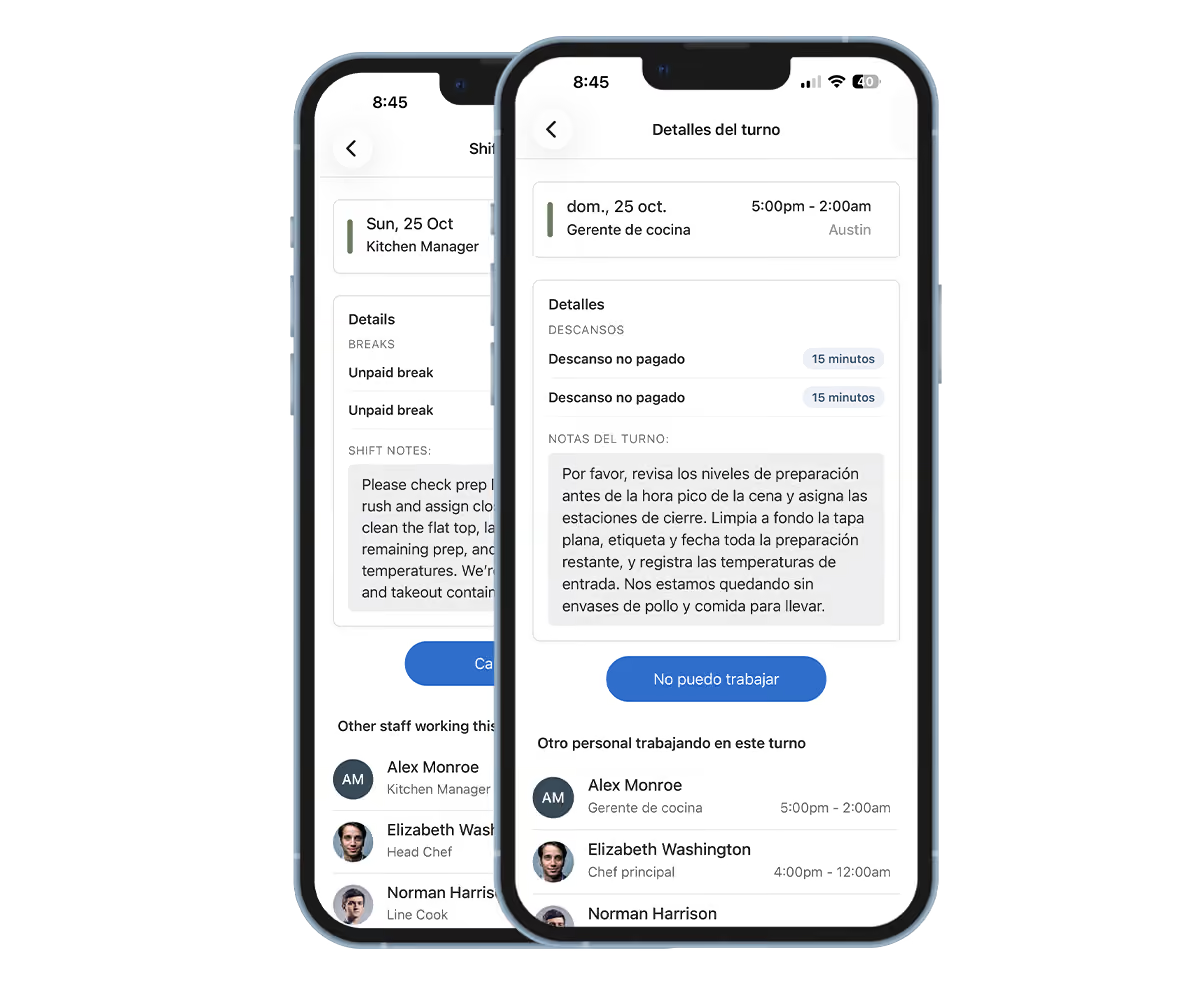
Shift Notes & Schedules: Notes you add to shifts and schedules show up in Spanish for employees who use Spanish.
Tasks, Forms & Training: Task instructions, form questions, and training content are translated without any extra work.
Push Notifications: Schedule changes and alerts arrive on their phone in Spanish.
A Scheduling App in Spanish Your Team Will Actually Open
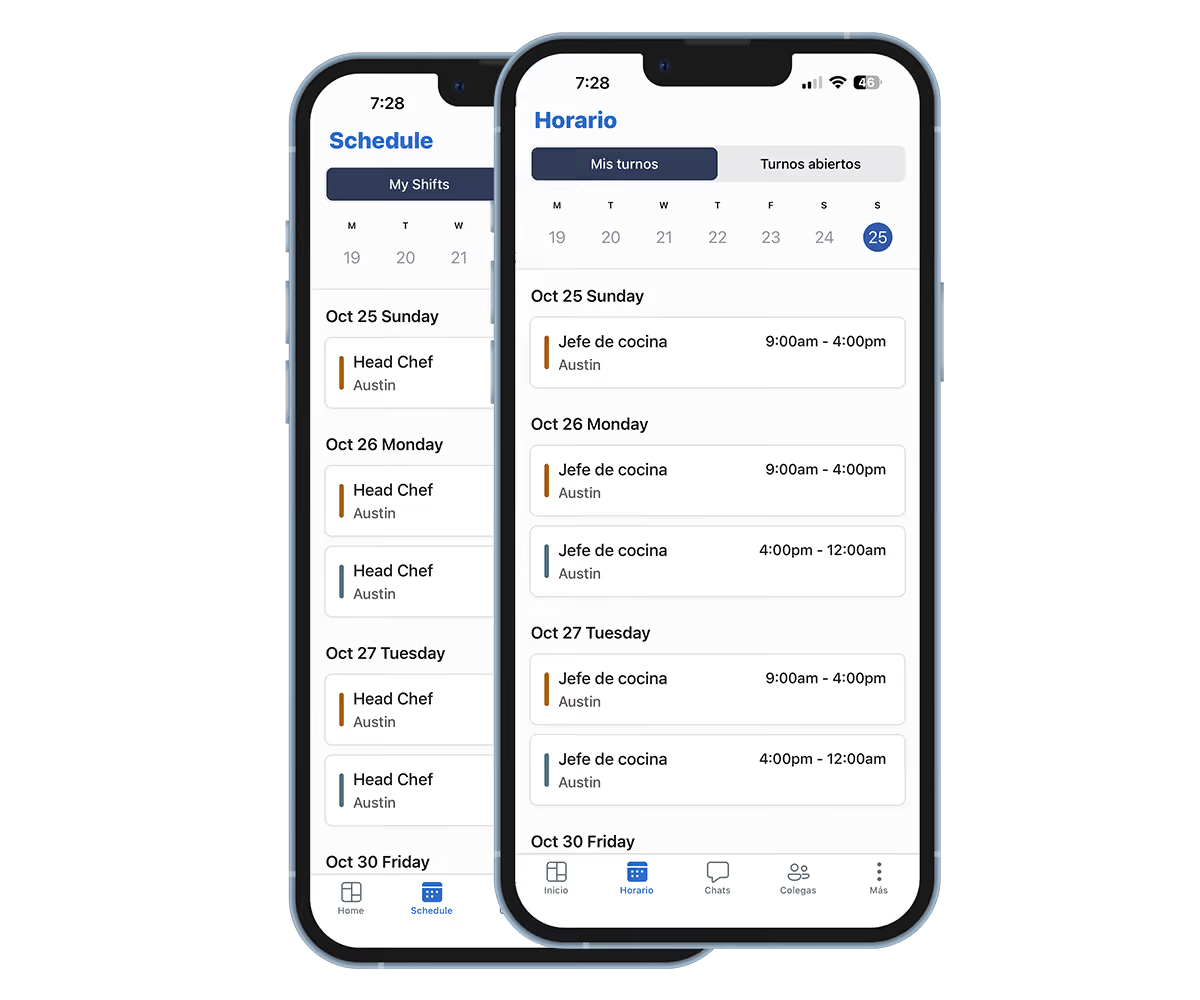
Employees see their schedule, shift details, and open shifts in Spanish, so they know exactly when and where to work.
Schedules & Shift Notes: Every shift, role, location, and note is easy to read in Spanish.
Open Shifts & Shift Swaps: Employees pick up open shifts and request swaps in their own language.
Time-Off Requests: Requesting time off is just as simple in Spanish as it is in English.
A Time Clock App for Spanish-Speaking Employees
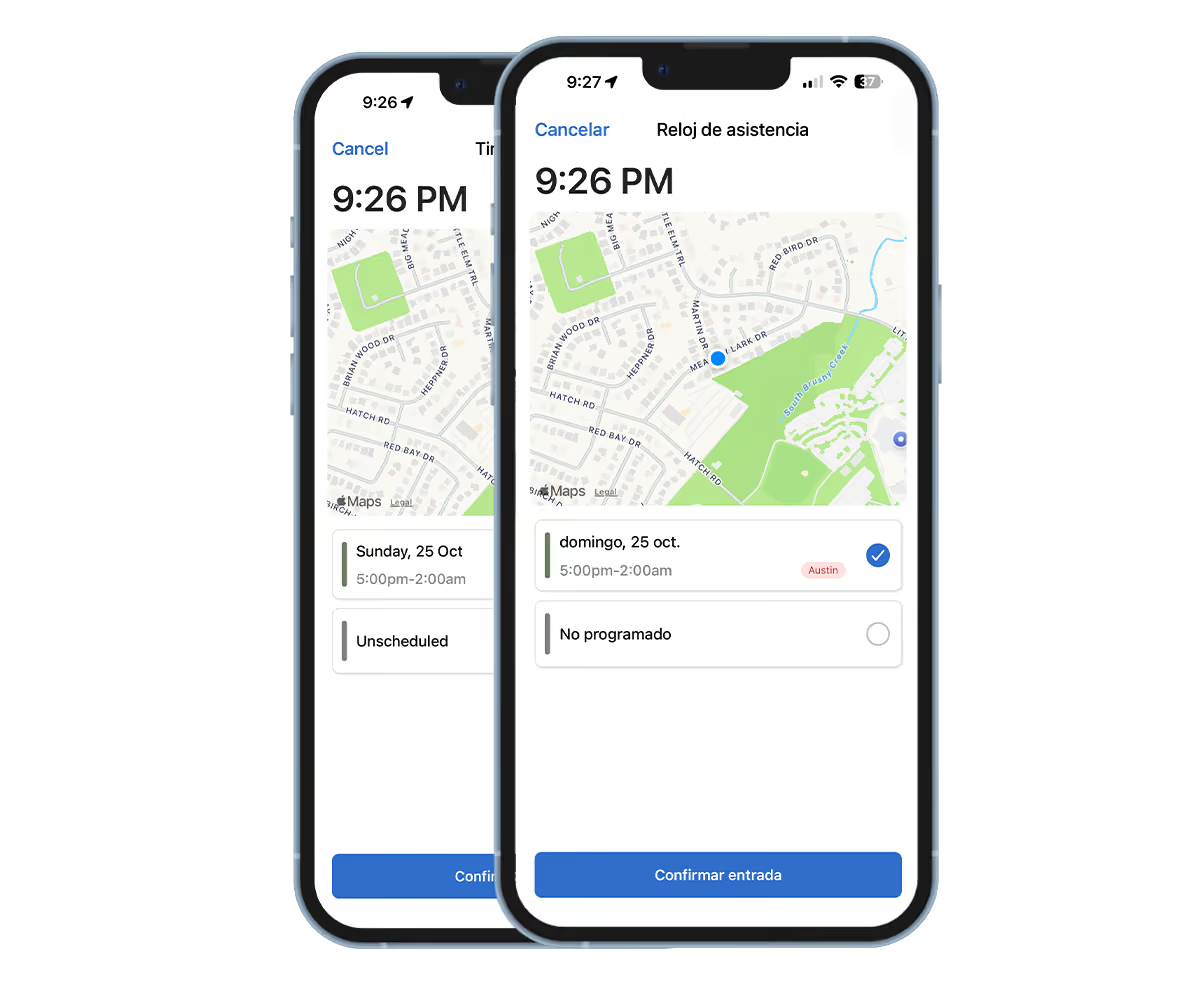
Clocking in, taking breaks, and clocking out all happen in Spanish, which means fewer missed punches and fewer questions for managers.
Clock In & Out in Spanish: Every button, prompt, and confirmation in the time clock is in Spanish.
Breaks Made Clear: Break options and prompts are easy to understand, so breaks get taken and recorded correctly.
Timesheets They Can Check: Employees review their own hours in Spanish, so mistakes get caught before payroll.
Train and Check Work in Spanish
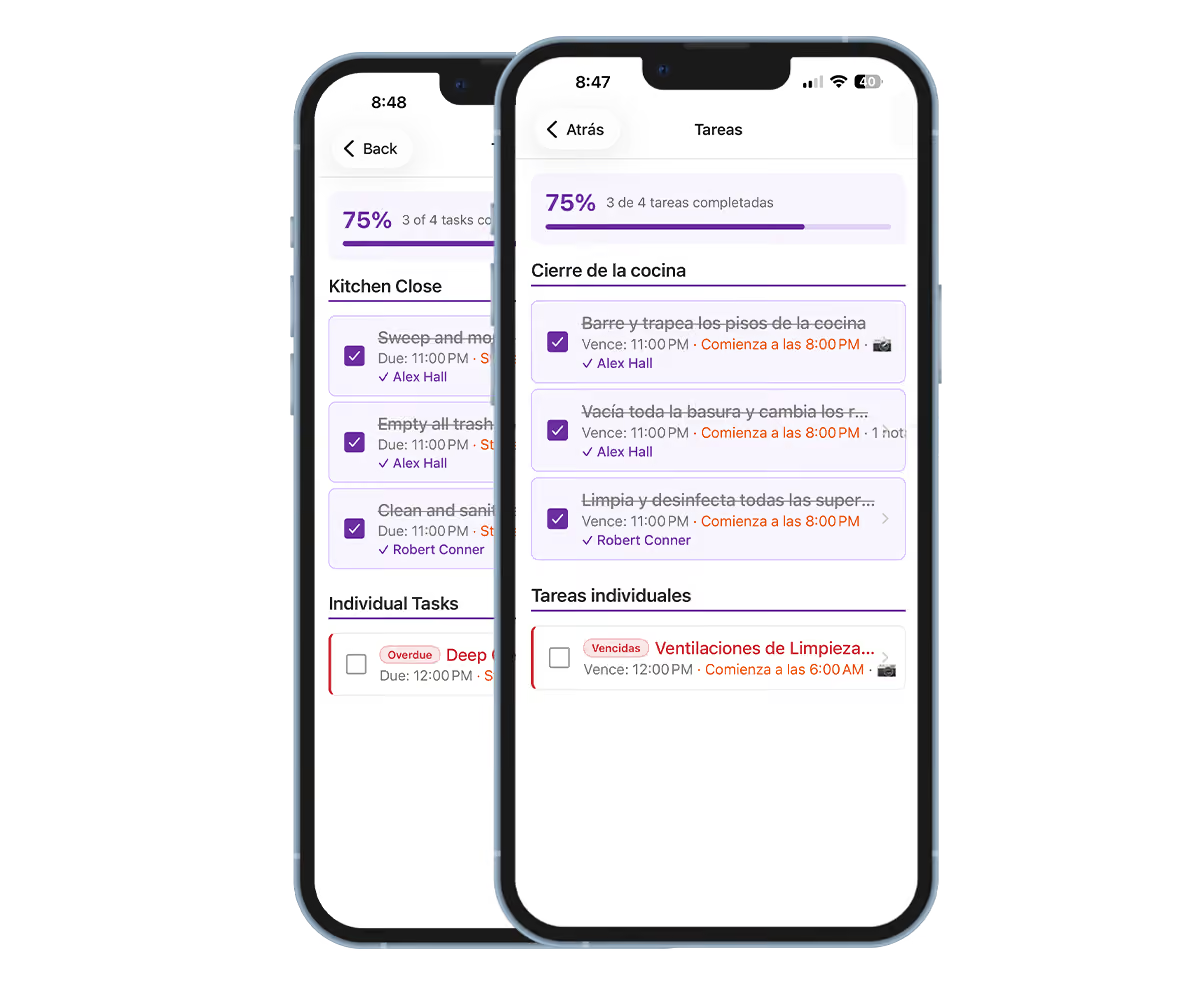
Assign tasks, checklists, forms, and training in English. Your Spanish-speaking employees complete them in Spanish.
Tasks & Checklists: Task titles and instructions you write in English are translated automatically.
Forms & Audits: Form questions and answer choices appear in Spanish, so checklists get filled out correctly.
Training & Quizzes: Course titles, descriptions, and quiz questions appear in Spanish.
Everything Your Team Uses, in Spanish
The app's screens, menus, and buttons switch to Spanish, and the content managers write is translated automatically. Here's what your Spanish-speaking employees get.
Schedules & Shift Notes
Upcoming shifts, roles, locations, and manager notes in Spanish.
Clock In, Breaks & Clock Out
Every time clock screen and prompt is in Spanish.
Timesheets
Employees review their own hours and punches in Spanish.
Shift Swaps & Open Shifts
Pick up open shifts and request swaps without a language barrier.
Time Off
Request time off and check the status of each request in Spanish.
Tasks & Checklists
Task titles and instructions are translated automatically.
Forms & Audits
Form questions and answer choices appear in Spanish.
Training & Quizzes
Course titles, descriptions, and quiz questions in Spanish.
Push Notifications & Announcements
Schedule alerts and company announcements arrive in Spanish.
Switch to Spanish in Seconds
Each employee chooses their own language. There's nothing for managers to set up.
Open the App
Employees open the Teamsly app on their phone and sign in as usual.
Go to Language
Tap the More tab, then tap Language.
Turn On Spanish
Switch on Spanish Translation. The app and the content managers write now appear in Spanish.
If an employee's phone is already set to Spanish, the app's screens open in Spanish automatically. Turning on Spanish Translation also translates the notes, tasks, and alerts managers write.
I write the schedule notes and the closing checklist in English, and my kitchen reads them in Spanish. Nobody's translating anything anymore — the whole crew just opens the app and knows what to do.

Built for Bilingual Crews in Every Industry
Wherever English and Spanish speakers work side by side, Teamsly keeps everyone on the same schedule and the same page.
Construction & Field Service
Crews get job sites, shift notes, and checklists in Spanish.
Landscaping
Crews see their schedule and clock in without needing a translator.
Cleaning & Janitorial
Cleaning checklists and site notes your team can actually follow.
Restaurants
Kitchen and front-of-house staff get schedules and updates in Spanish.
Hotels & Hospitality
Housekeeping and hotel staff stay aligned across every shift.
Healthcare & Home Care
Caregivers see shift details and notes in the language they know best.
Warehousing
Warehouse teams get shift changes and alerts in Spanish.
Retail
Store associates check schedules and tasks in Spanish.
What Real Spanish Support Looks Like
Translating the menus is a start. Here's what it takes for Spanish-speaking employees to actually use the app every day.
“Other apps” reflects common workforce app setups. Features vary by provider and plan.